
Plankore Pro

AI takeoff for construction.
Powered by AI, verified by you.

Turn plan sets into takeoffs faster. AI measures the floorplan in one pass, and Smart tools snap the rest to the linework.

Start free trial

10-day free trial. No credit card required.
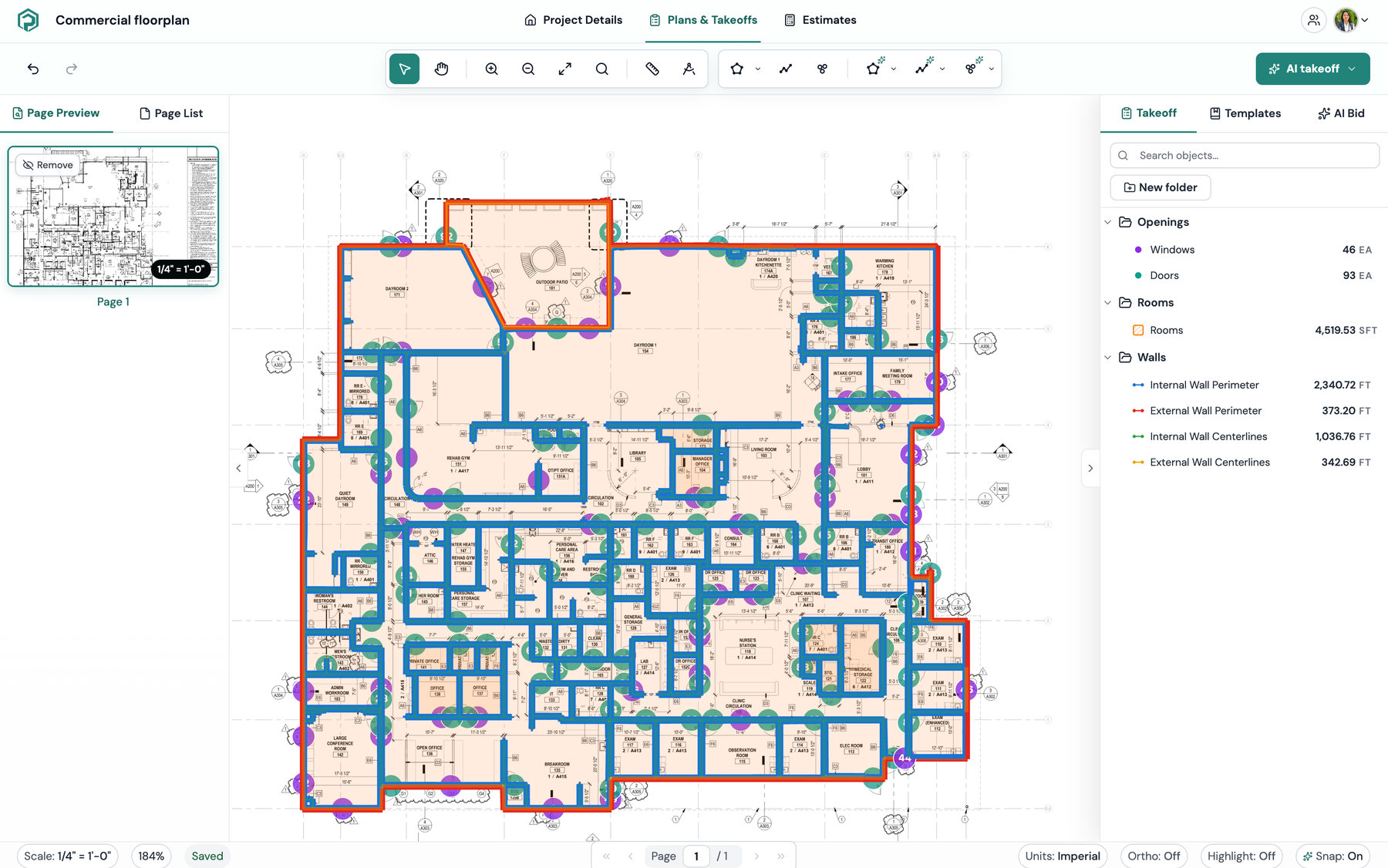
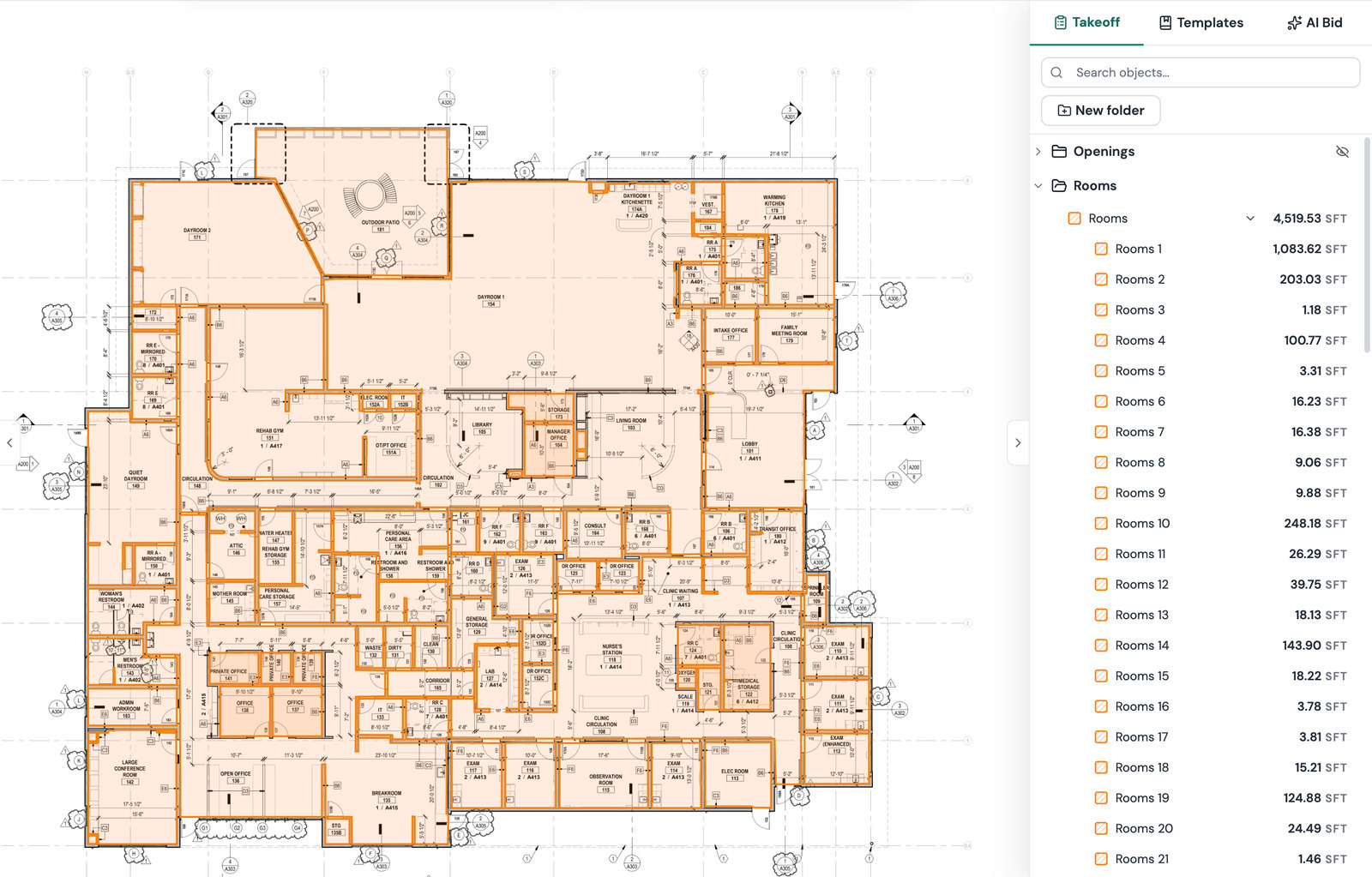
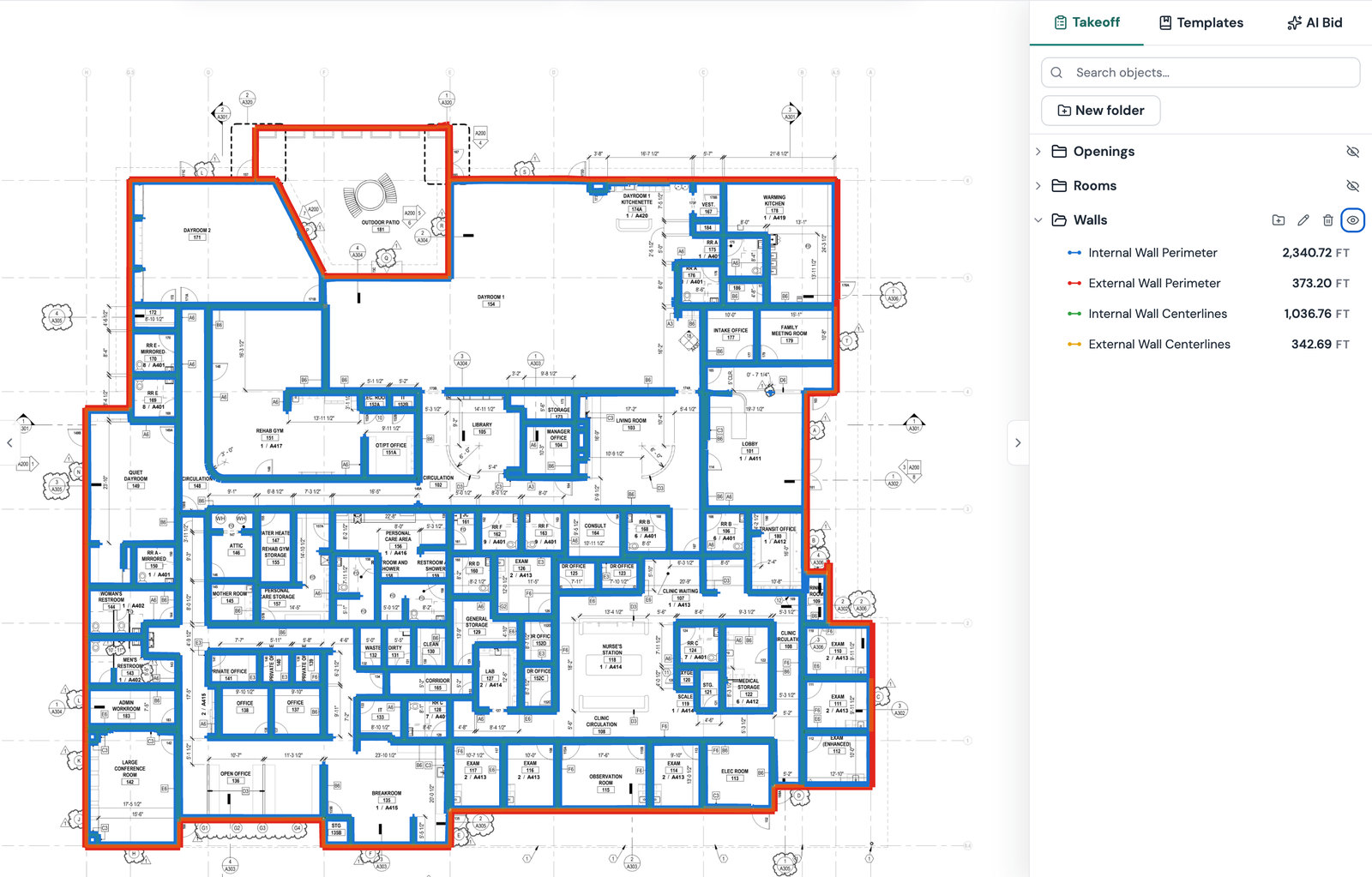
Plankore Pro with an AI floorplan takeoff on a commercial plan: openings, rooms and walls all detected, beside the itemized takeoff list
Plankore is used for Concrete, Framing, Drywall, Roofing, Flooring, Painting, Plumbing, Electrical, HVAC, Masonry, Steel takeoffs.
How it works

From plan set to takeoff,
all in the cloud.

  1. Upload your plans

    Bring in your PDF plan set and start working in the cloud.

  2. Let AI organize the set

    AI identifies page names, proposes scales, and links sheet references.

  3. Build your takeoff

    Use AI Floorplan and Smart Tools to measure rooms, walls, windows, doors, areas, lengths, and counts.

  4. Estimate and export

    Build your estimate with quantities, costs, waste, and markup, then export to Excel.
Features

Everything you need for
faster takeoff and estimating.

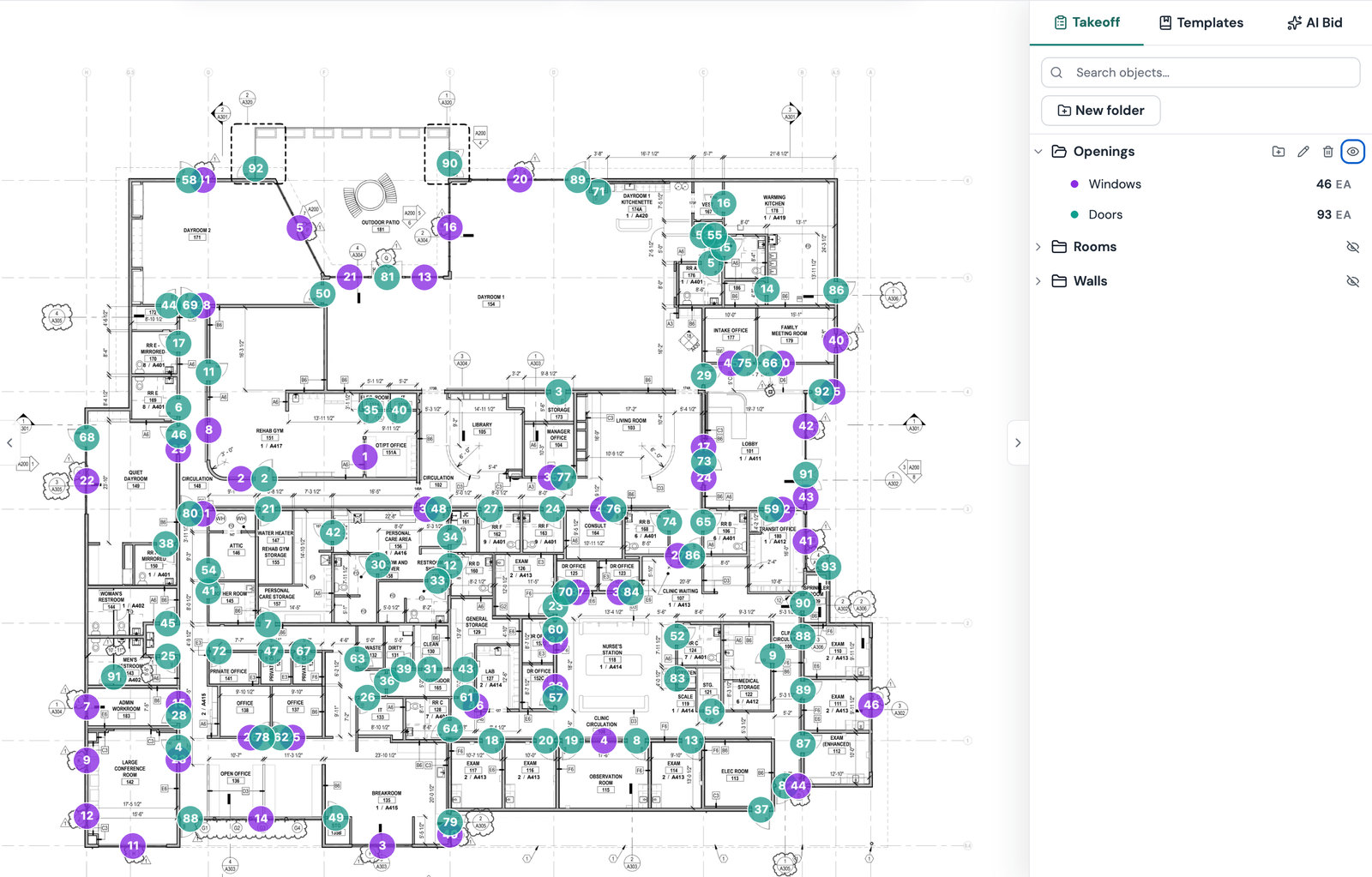
A commercial floor plan with AI-detected openings, rooms and walls marked across it
AI takeoff

Detect rooms, walls, windows, and doors

Get a first-pass takeoff of rooms, walls, windows, and doors directly on your plan.
  • Rooms, walls, windows, and doors in one pass
  • Every measurement lands in your takeoff list, ready to review
  • Adjust any shape with Smart Edit before you price it
Try it now
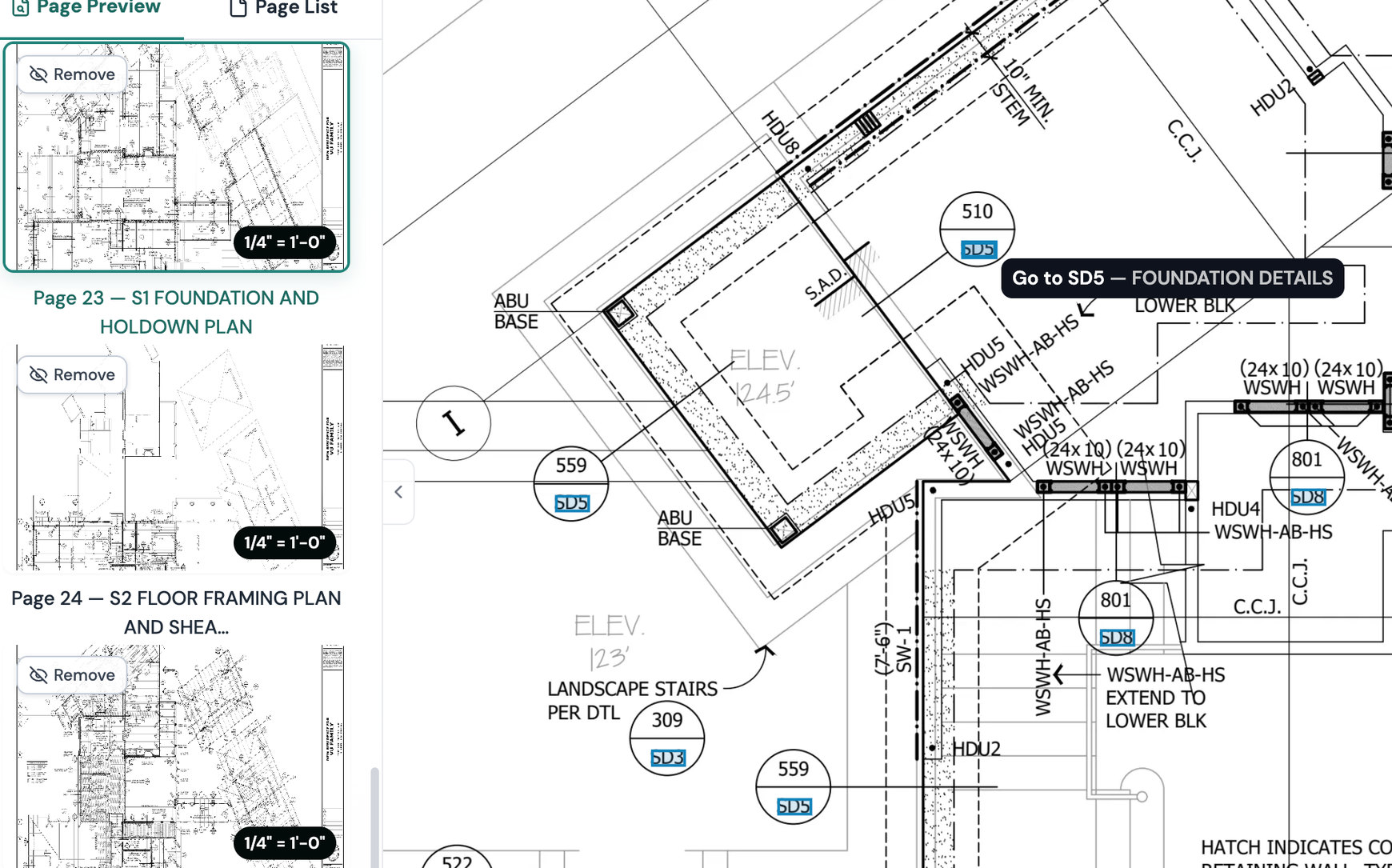
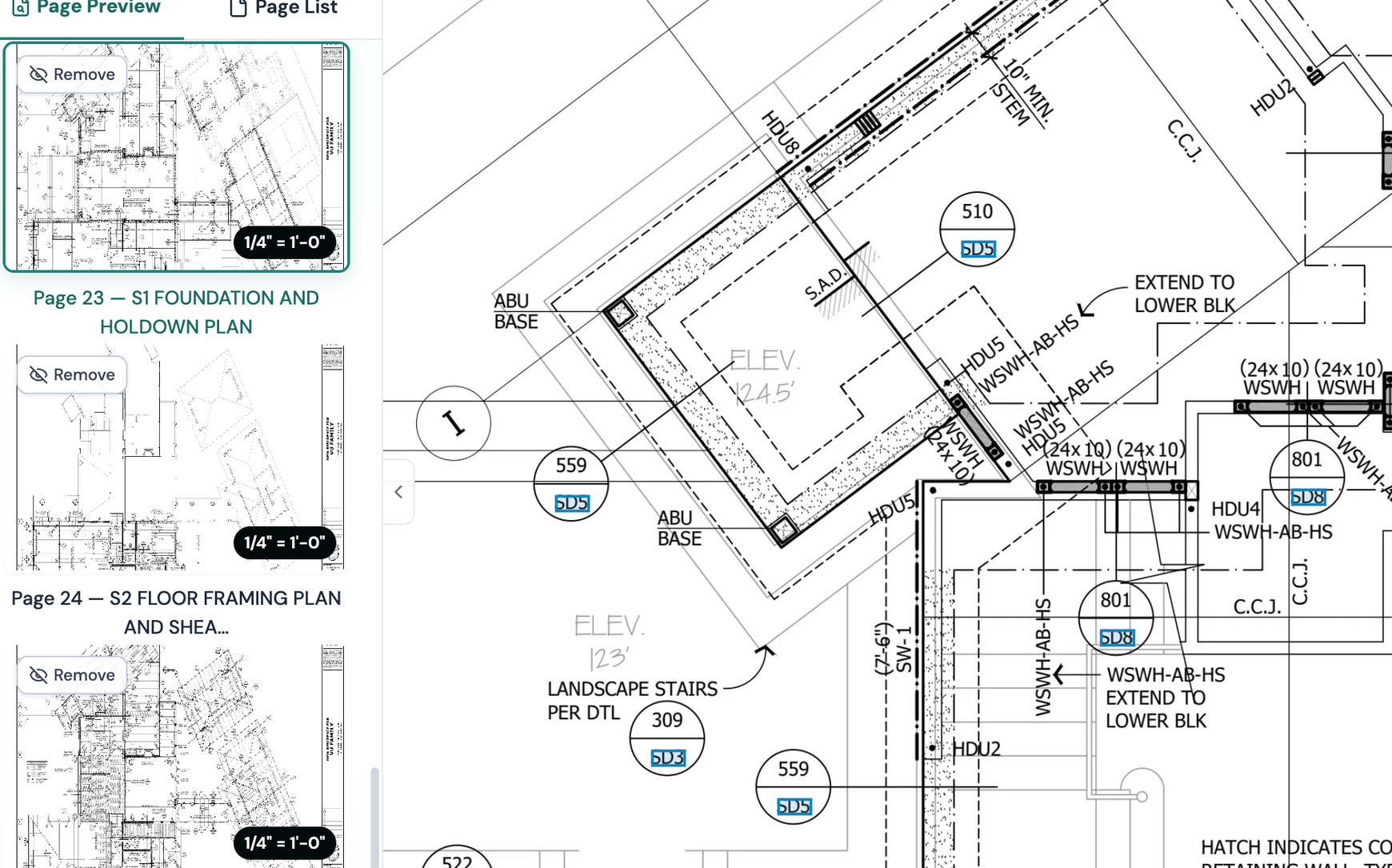
Page Preview panel with a name and a scale on every page, and a Go to SD5 reference link on the plan
AI navigation

AI identifies page names, scales, and reference links

Makes plan sets easy to navigate.

  • Page names read from the title block
  • A scale proposed for every page
  • Page references linked, so you jump between pages instead of scrolling
Try it now
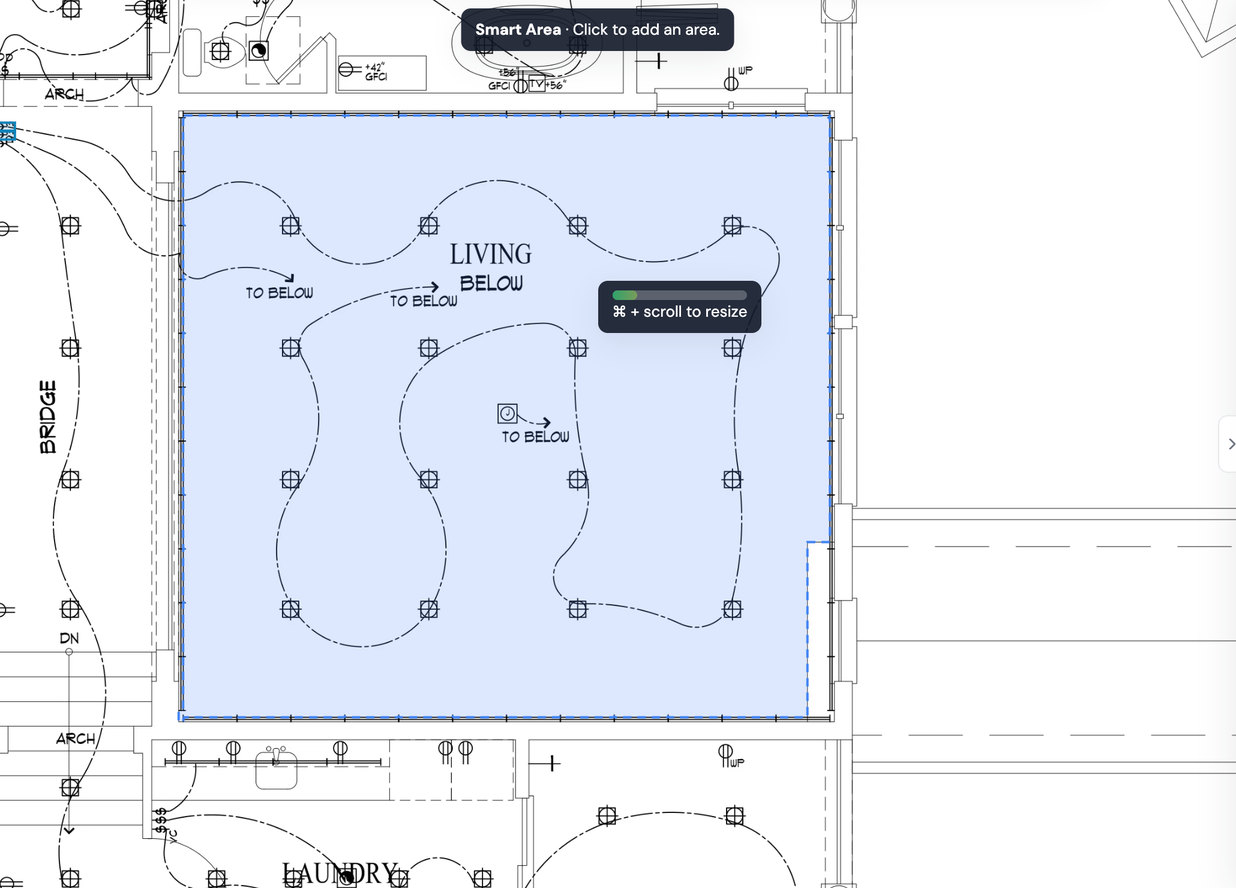
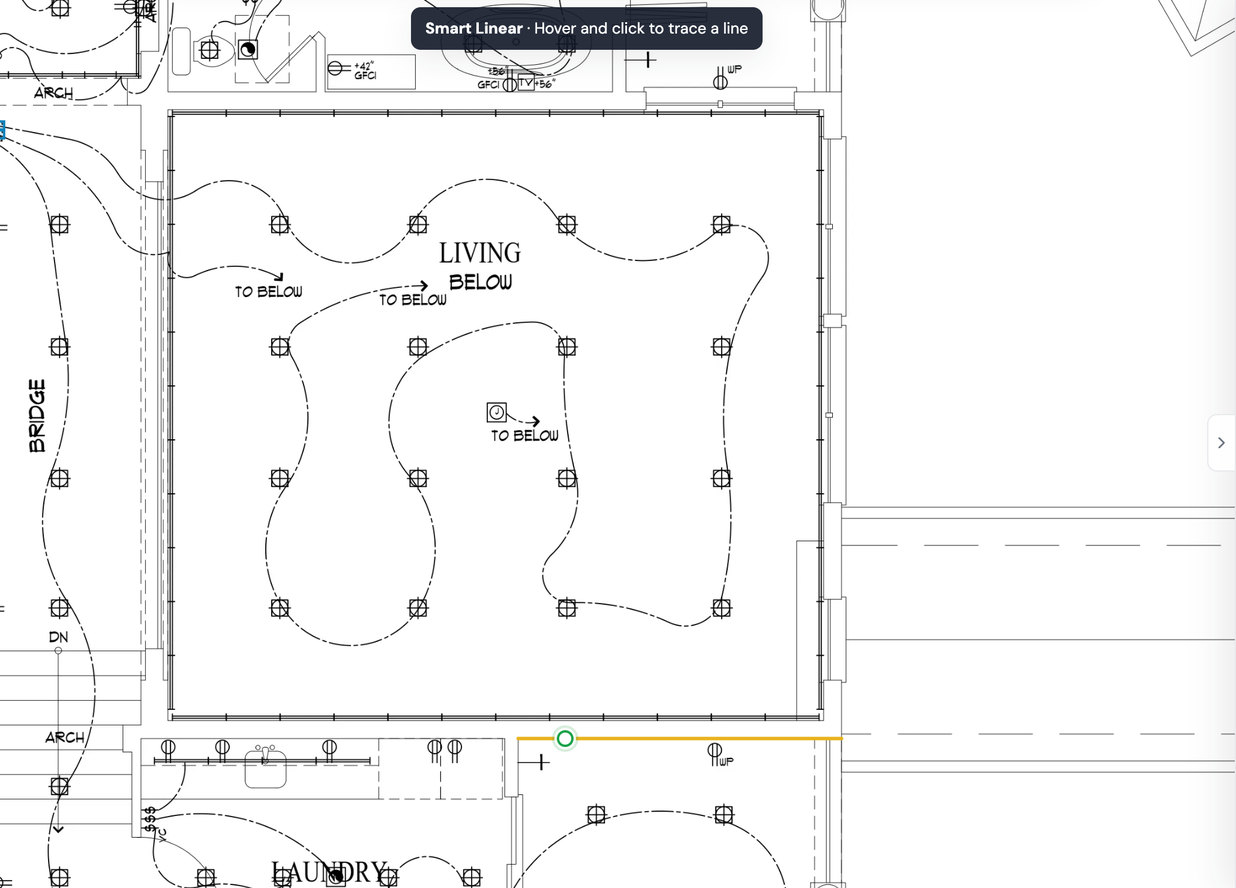
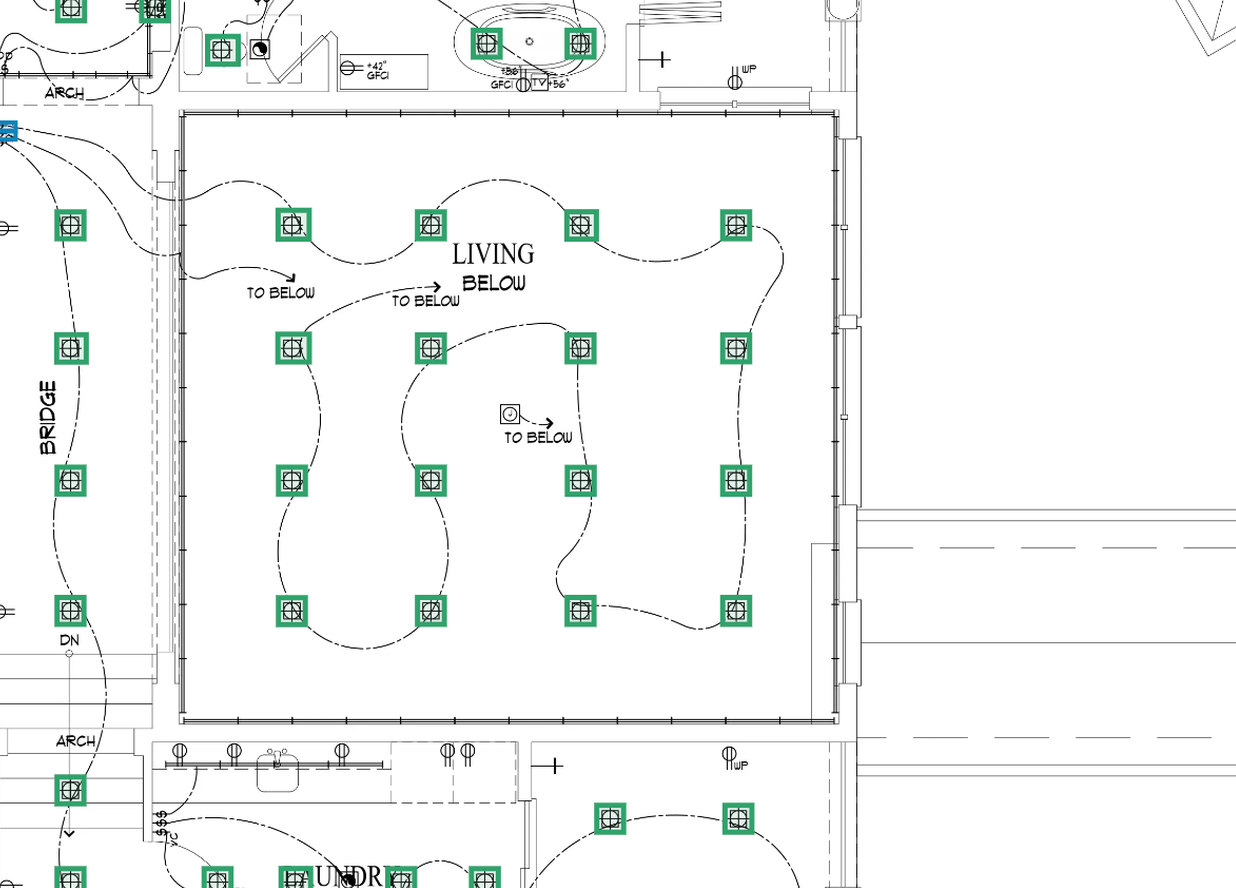
Smart Area, Smart Linear and Smart Count measuring a floor plan
Smart tools

Smart takeoff tools

Measure with Area, Linear, Count, and Joist tools, with smart snapping to the drawing's linework.
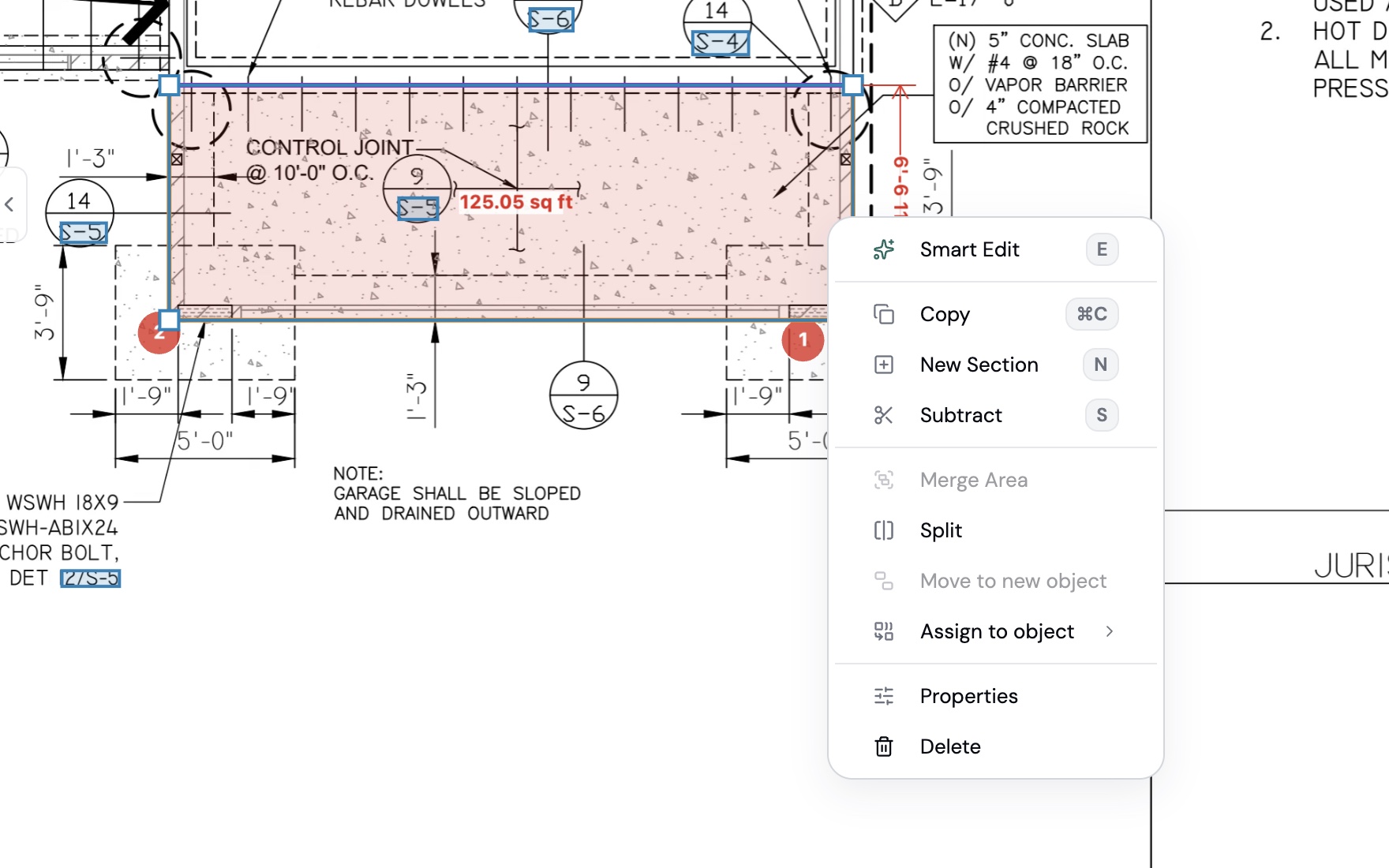
  • Smart Area, Linear, Count, and Joist
  • Snaps to the plan linework, so there is nothing to trace
  • Count by text or by symbol across the whole set
Try it now
Right-click menu on a selected slab area: Smart Edit, Copy, New Section, Subtract, Merge Area, Split, Move to new object, Assign to object, Properties, Delete
Edit tools

Flexible editing tools

Every measurement can be fixed without redrawing it.
  • Smart Edit trims or fills an area with a click or a line
  • Merge, split, or move sections to a new object
  • Add or subtract sections for openings and cutouts
  • Copy, paste, undo, and keyboard shortcuts
Try it now
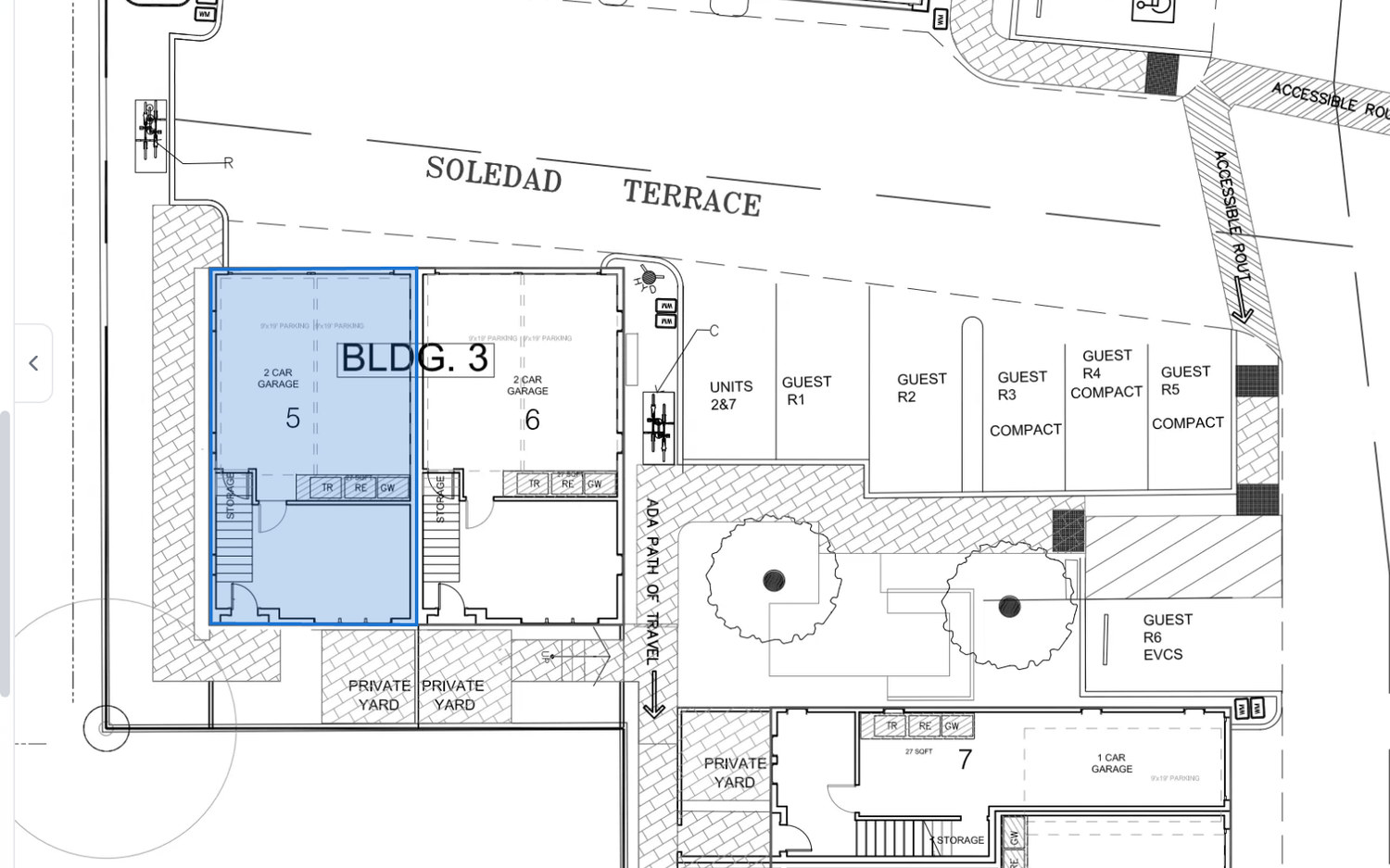
A site plan with three teammates' cursors on it, one drawing an area around a garage unit
Marco
Priya
Sam
Collaboration

Live collaboration

Work in the cloud and share projects with your team. Editors work in the same project at the same time.

  • 3 editors and unlimited viewers on every project
  • Editors work in the same project at the same time
  • Viewers see the takeoff and estimate without changing it
Try it now
EstimateExcelPDF
Example estimate line items and totals
DescriptionUnitQtyUnit $Total
Foundation
Concrete Slab 4"CY18.4$170$3,128
Rebar #4LF980$0.90$882
Pour & FinishSF3,085$0.60$1,851
Framing
Ext Wall 2x6LF340$14.20$4,828
Int Wall 2x4LF128$9.80$1,254
Framing LaborSF3,085$2.00$6,170
Interior Finish
5/8" DrywallSF3,085$0.92$2,838
Tape Mud & FinishSF3,085$0.50$1,543
Install LaborSF3,085$0.90$2,777
Total Estimate$0
Estimating

Estimate and Excel export

Move from quantities to estimates with costs, waste, markup, and Excel export.

  • Add cost, waste, and markup on every line item
  • Build your own assemblies and templates and reuse them on every job
  • Export the finished estimate to Excel
Try it now
Projects

Unlimited projects

Manage your estimating workload with unlimited projects, up to 300 pages per project.

  • Unlimited projects on Plankore Pro
  • Up to 300 pages per project
  • Plan sets, takeoffs, and estimates kept together in one place
Try it now
Support

Priority support

Get priority support when you need it, from the people who build Plankore.

  • A 1:1 support session with the Plankore team
  • Priority support on Plankore Pro
  • Step-by-step guides in the Support Center
Try it now
Why us

Built by people who understand plans, estimates, and AI

"Bidding was my pain. I tried the existing tools and none of them worked the way I needed. So we built the one I actually wanted, and it shows me where every number comes from."

Other tools hand you a number. Plankore shows you the math.

Khoi Nguyen, P.E., GC
Construction & Estimating

Khoi Nguyen, P.E., GC

Licensed P.E., GC, and plan-check professional who has designed, reviewed, and bid thousands of plans.

Minh Vo, Ph.D.
AI & Computer Vision

Minh Vo, Ph.D.

CMU Ph.D. former tech lead at Meta Reality Labs and Head of AI at $1.5B startup, now building AI that reads and measures plans.

Kathy Le, MBA
Product & Customer Workflows

Kathy Le, MBA

Booth MBA, former Head of Product for a $1B SMB software business, focused on practical contractor workflows.

Who We Serve

Takeoff shouldn't be the bottleneck

Whether you takeoff yourself or run a team of estimators, Plankore takes the repetitive work and keeps every measurement yours to review.

The owner-led contractor

The owner-led contractor

Spend less time on takeoff.

You’re still doing takeoffs after hours. Let AI take off the floorplan, check the numbers, and keep control before you submit.

The growing contractor

The growing contractor

More plan sets. Same team.

Plans keep coming in, but takeoff capacity isn't keeping up. AI takeoff and Smart tools let you measure more sets without adding estimating overhead.

The preconstruction team

The preconstruction team

Manual takeoff slows every bid down.

Give your team one workflow for plan organization, takeoff, and estimating. Plankore gives your team a faster, more accurate way to produce takeoff and estimates.

Works across every trade
ConcreteFramingDrywallRoofingPlumbingElectricalFlooringHVACMasonryPaintingSteelConcreteFramingDrywallRoofingPlumbingElectricalFlooringHVACMasonryPaintingSteel

Simple, transparent pricing

No annual lock-in required. Save 16% if you choose annual.

For getting started

Free Forever

Free digital takeoff and estimating. No AI.


$0
Free for good
  • 3 projects per month, up to 300 pages each
  • Area, linear, and count takeoffs
  • Excel-style estimating & export
  • Document text search
  • Cloud-based, nothing to install
  • Team collaboration: 3 editors, unlimited viewers
  • Build your own assemblies and templates
Start free

No credit card required

For estimators

Pro

AI takeoff, Smart tools, and unlimited projects.


Early access pricing
$125$83/user · month
$999 billed yearly · Save extra 16%

Everything in Free Forever, plus:

  • Unlimited projects, up to 300 pages each
  • AI Floorplan Takeoff - rooms, walls, windows, doors
  • AI Navigation - auto sheet names, scale, references
  • Smart tools - Area, Linear, Count, Edit, Joist
  • Smart snapping and trace-free takeoff
  • Sample assemblies and templates - coming soon
  • Priority support
Start free trial

10-day free trial. No credit card required.

For teams

Enterprise

Built around your team, templates, and cost data.


Custom
Custom pricing

Everything in Pro, plus:

  • Custom AI volume for your team
  • Custom AI workflows built for your projects
  • Your cost database and estimate templates
  • Team onboarding and training
  • Dedicated support with a direct line to founders
FAQs

Frequently asked questions

Yes. Free Forever is free, with no credit card and no expiry date. It covers 3 projects a month of up to 300 pages each, area, linear, and count takeoff, Excel-style estimating and export, document text search, your own assemblies and templates, and 3 editors with unlimited viewers on every project. We intend to keep the Free Forever plan. If that ever changes, you get at least 90 days' notice, and you can export any project to Excel at any time, so your work is never locked in.
Free Forever is manual: you measure, estimate, and export to Excel, on 3 projects a month. Plankore Pro adds AI Floorplan Takeoff for rooms, walls, windows, and doors, AI Navigation for sheet names, scale, and references, the Smart tools, snapping and trace-free takeoff, unlimited projects, and priority support. Sample assemblies and templates are coming soon.
Yes. Every new account starts with 10 days of Plankore Pro, no credit card required. You are still capped at 3 projects during the trial. When the trial ends you land on Free Forever unless you subscribe.
No. Plankore Pro can be billed monthly and cancelled anytime. Annual billing is optional and saves 16%.
Yes. Enterprise is built around your team: custom AI volume, custom AI workflows for your projects, your own cost database and estimate templates, onboarding and training, and dedicated support with a direct line to the founders. Pricing is custom, so book a call from the pricing page and we'll scope it with you.
AI Takeoff is the AI inside Plankore Pro. It names sheets, finds the scale, links sheet references, and detects rooms, walls, windows, and doors, so your first pass is drafted rather than traced. It speeds up that first pass, but it is not a replacement for estimator judgement. Plankore shows every AI-generated quantity alongside the source sheet, formula, and assumptions, so you can verify or correct it before the number reaches your bid.
Yes. Plankore runs in any modern browser on Mac, Windows, or Chromebook, with nothing to install. Most established takeoff tools are Windows-only desktop software, so Mac users often have no option other than a virtual machine.
Yes. Invite teammates by email and give each one of two roles. Editors draw, rename, price, upload, and export. Viewers can look, follow along, and export, but not change anything. Editors can work in the same project at the same time, so two people can split a plan set instead of taking turns. Both Free Forever and Plankore Pro include 3 editors and unlimited viewers on every project.
Yes. Export your estimates to Excel and keep using your own bid format and cost templates. Export works on every plan, including Free Forever.
Both. Free Forever and Plankore Pro work on any plan set, commercial or residential. AI Bid, the separate bid-drafting product, is residential only.
Contractors, estimators, and preconstruction teams who want faster takeoff and estimating without losing control of the numbers.
Ready to estimate faster

See Plankore Pro
on your own plans.

Bring a real plan set and see how AI-assisted takeoff, Smart tools, and estimating fit into your workflow.

10-day free trial. No credit card required.