
AI takeoff in minutes.
Results you can verify.
7-day free trial. No credit card required.
Introducing P-Chat, your AI estimator.
P-Chat,
a new way to take off.
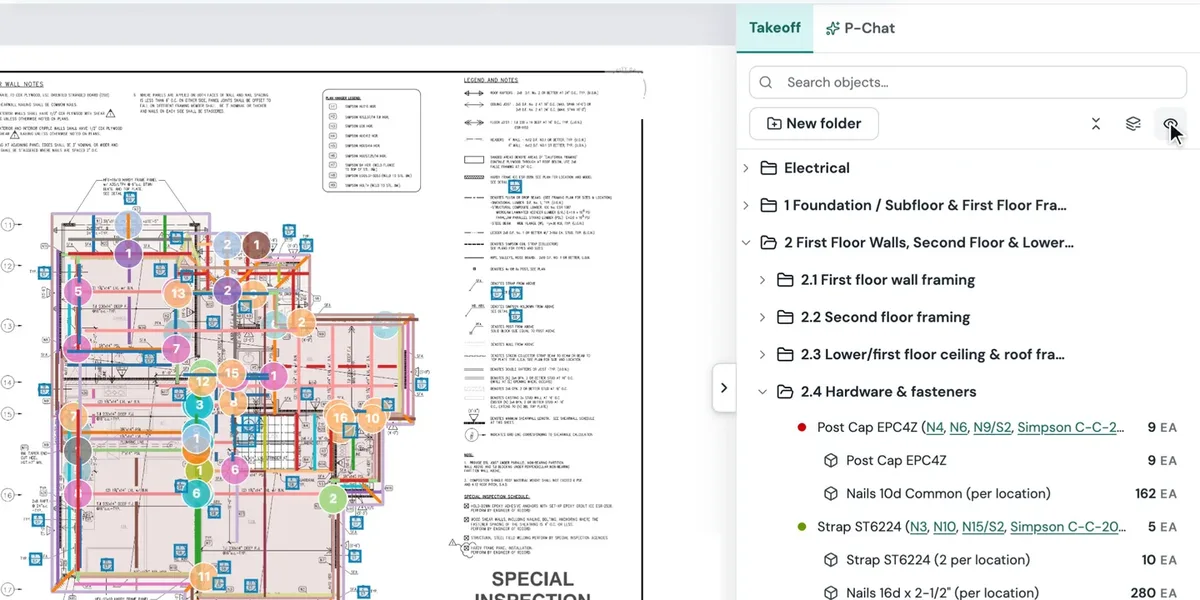
Ask P-Chat to do the takeoff
P-Chat reads your plan set, draws the takeoff and applies your assemblies.
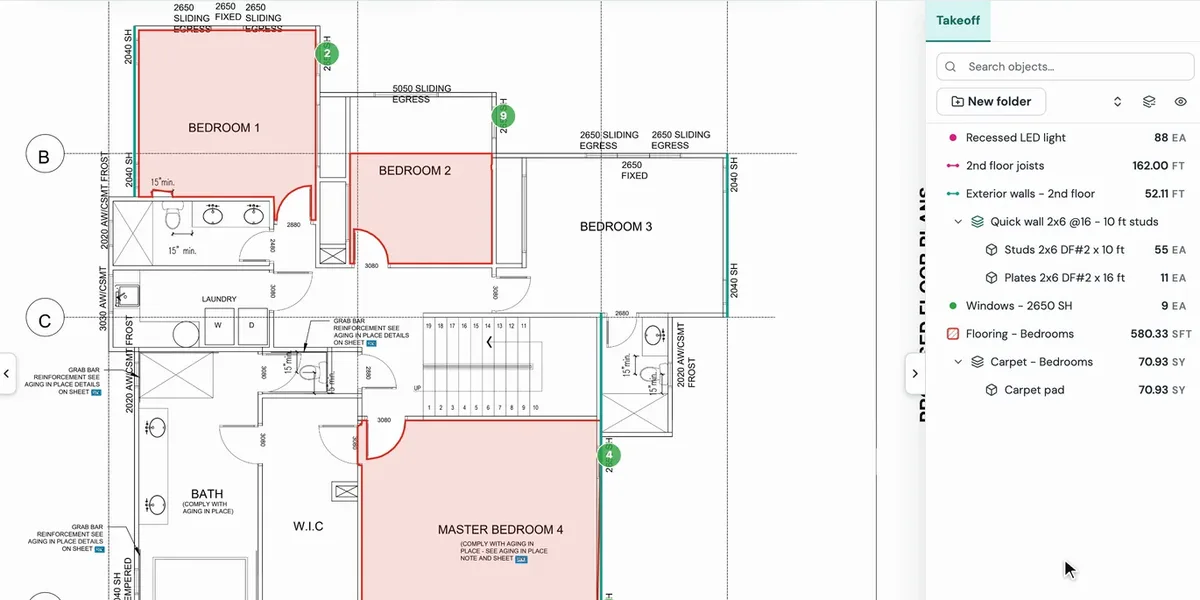
Edit with P-Chat or by hand
Ask P-Chat to change anything, or fix it yourself with our smart tools.
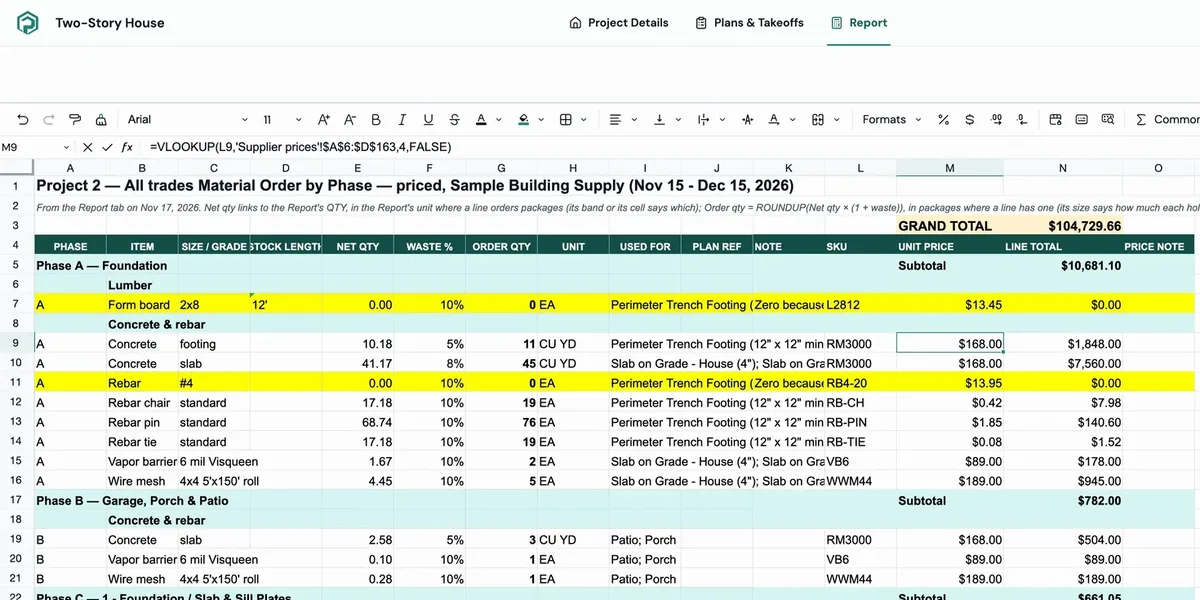
Update Excel with P-Chat or by hand
Plankore builds the Excel report right in the app. Edit any cell with P-Chat or by hand, then export.
7-day free trial. No credit card required.
Every takeoff tool
an estimator needs.

AI identifies page names, scales, and reference links
Makes plan sets easy to navigate.
- Page names read from the title block
- A scale proposed for every page
- Page references linked, so you jump between pages instead of scrolling
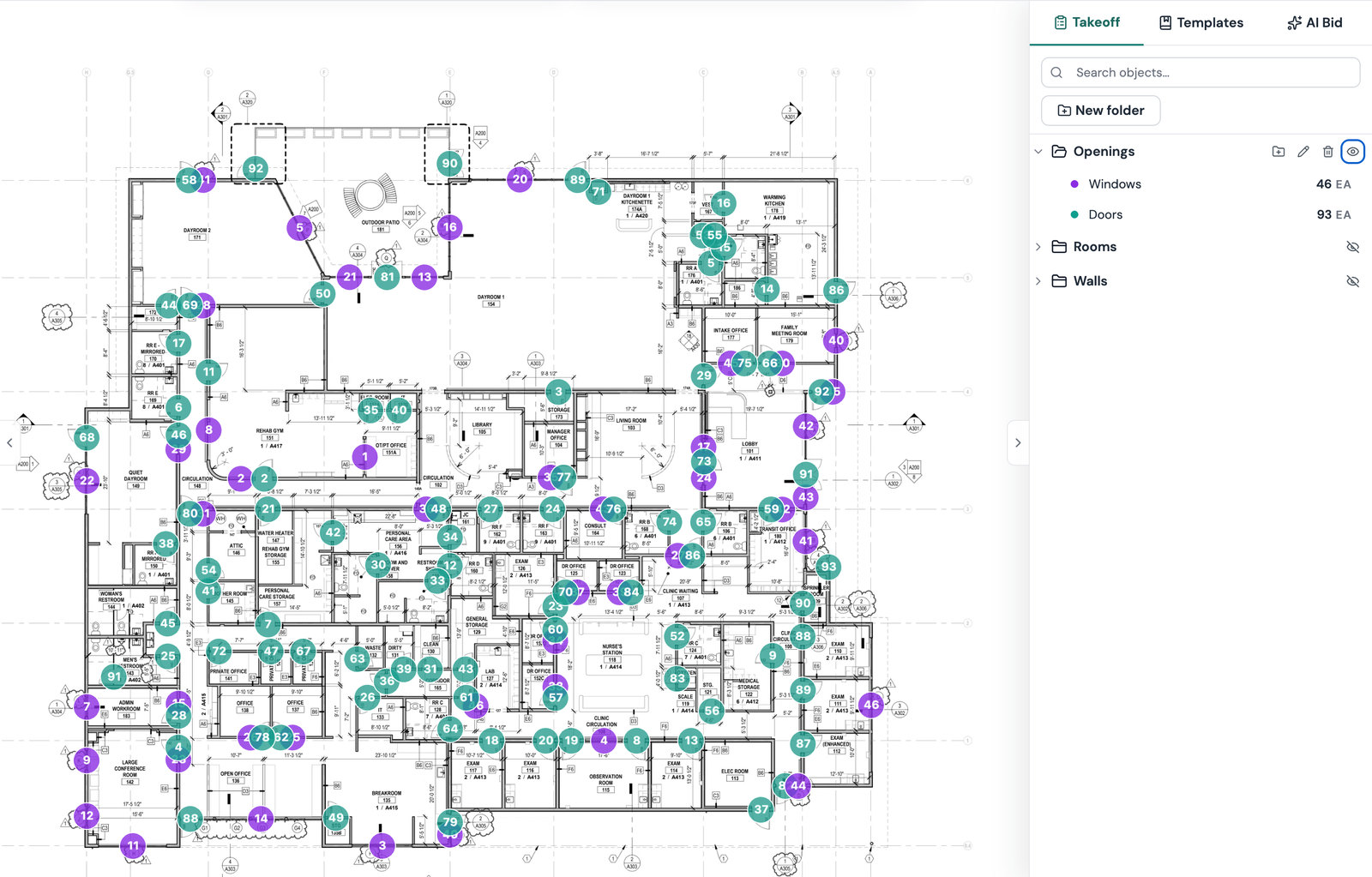
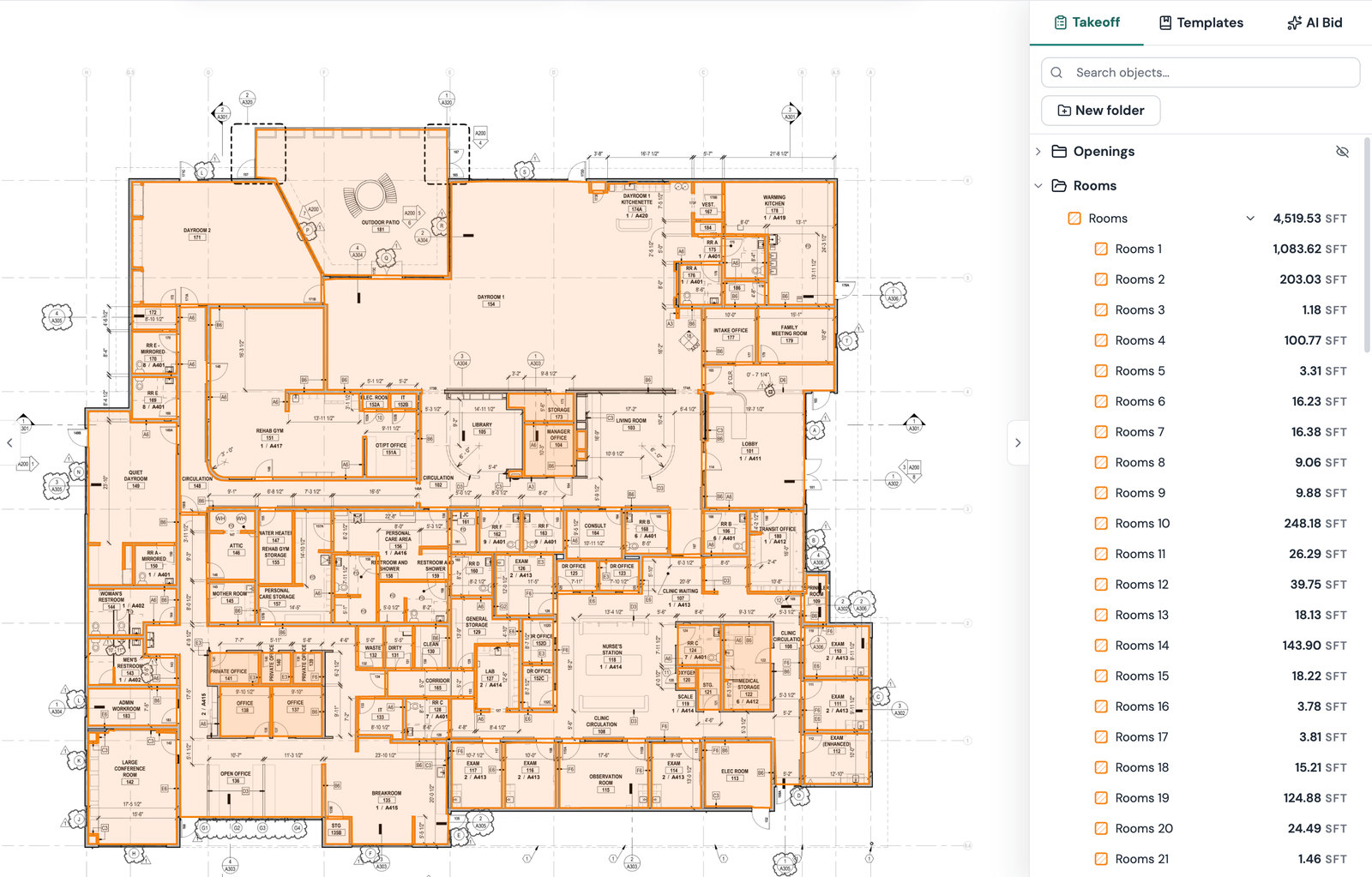
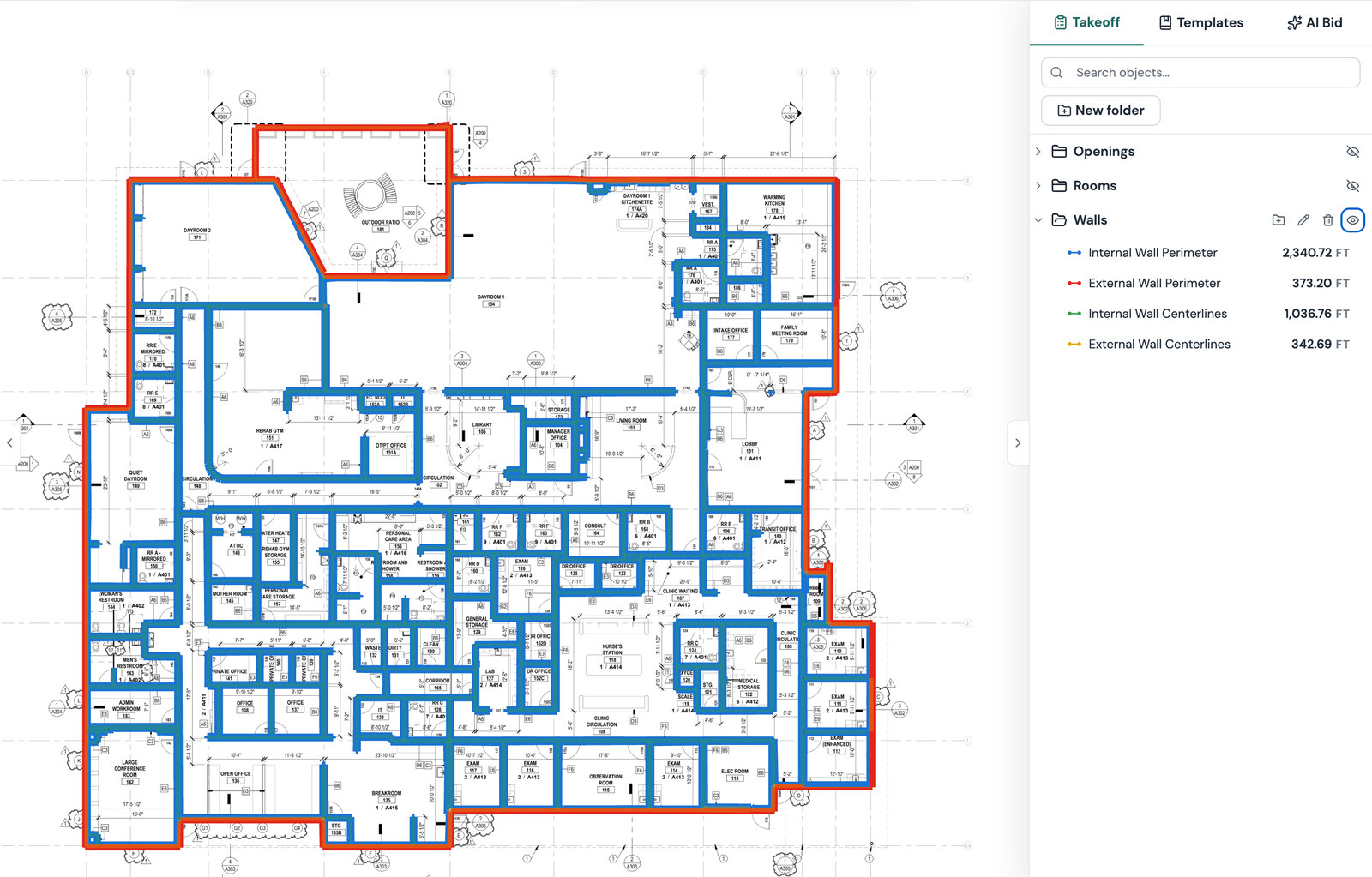
AI detects rooms, walls, windows and doors
Draw a box around a floor plan and AI drafts its walls, rooms, doors, and windows as takeoff objects.
- Walls, rooms, doors, and windows in one run
- Filed in Openings, Rooms, and Walls folders
- Every result lands in your takeoff, ready to review and fix

Symbol search
Box one symbol and Plankore finds its matches by their linework, on the page, in a region, or across the whole set.
- Box one clean example, then drop any lines that are not the symbol
- Search the current page, a region, or all pages
- Set the sensitivity, untick false hits, and save the rest as one count

Plankore Starter Package
Start estimating on day one with ready-made assemblies and parts, organized by trade, from concrete and framing to roofing, finishes, and electrical.
- 474 templates in 22 trade folders
- Walls, floors, roofs, doors, windows, finishes, and electrical devices
- Drag one onto a takeoff object, and its parts follow the quantity
- Included with Plankore Pro

Excel, directly in the app
Every project has a workbook that works like Excel, with your takeoff in its Report. Edit it yourself, or ask P-Chat to: it highlights lines and notes why, and prices your order from your supplier's price list with live formulas. Then export it to Excel.
- Live formulas linked to your takeoff and material order
- P-Chat prices the order from your supplier's list
- Change a price, and every total follows
- Export to Excel, formulas and all
Live collaboration
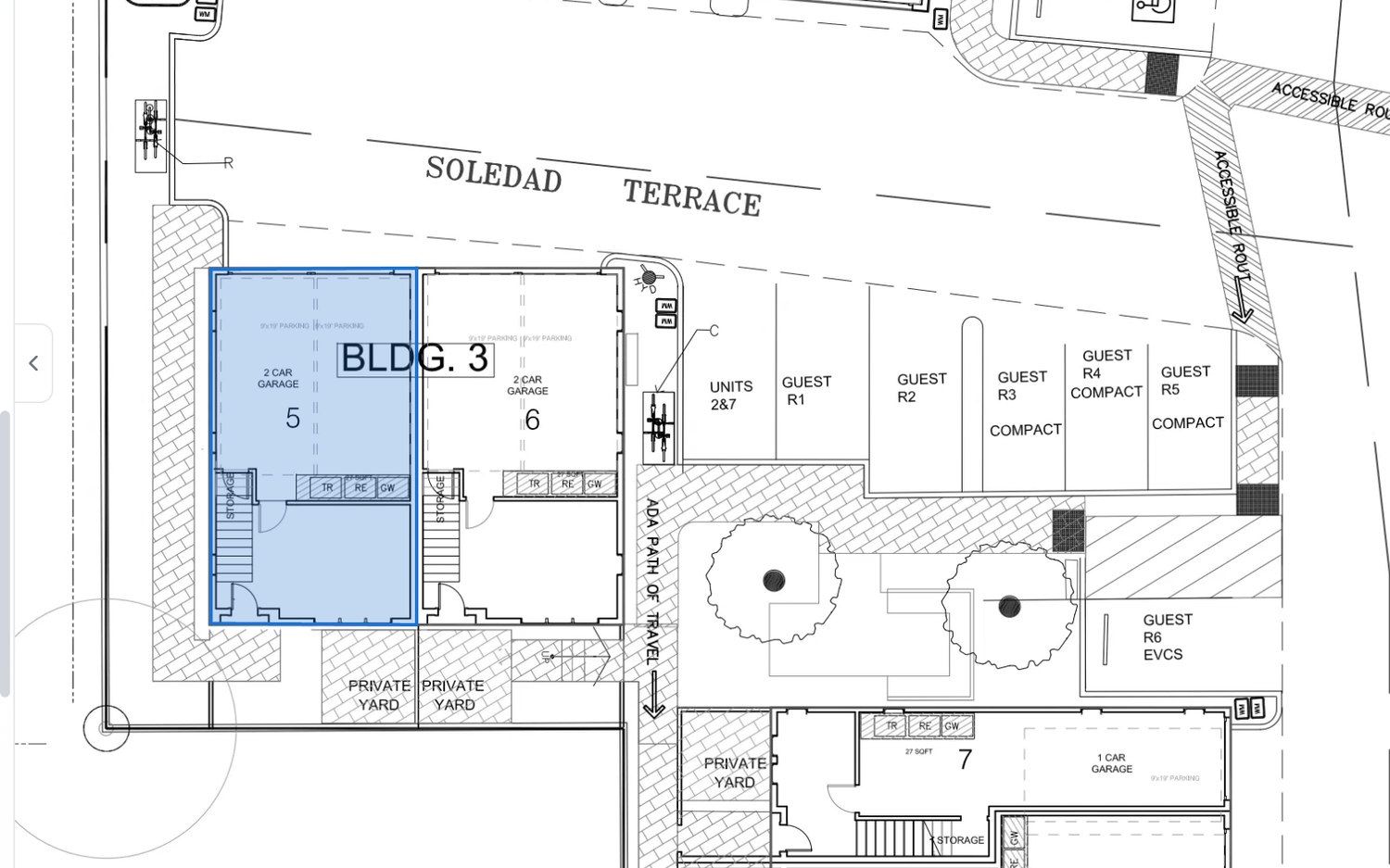
Work in the cloud and share projects with your team. Editors work in the same project at the same time.
- 3 editors and unlimited viewers on every project
- Editors work in the same project at the same time
- Viewers see the takeoff and estimate without changing it
 Plankore
Bring your own AI agent
Connect Claude, ChatGPT, Gemini, or Grok to Plankore and ask it to work in your projects.
- Works with Claude, ChatGPT, Gemini, and Grok today
- Your agent reads your plan pages and works in your takeoff
- Your agent's changes land in Plankore, where you can review or undo them
Simple, transparent pricing
P-Chat on every plan, paid as you use it. No annual lock-in required. Save up to 15% if you choose annual.
Collaborator
Annotation tools. No takeoff.
- Unlimited projects
- Annotation tools
- Real-time multi-user collaboration
- Email support
- No takeoff tools - annotation only
7-day free trial. No credit card required.
Pro
P-Chat and all takeoff tools.
Everything in Collaborator, plus:
- AI estimator, P‑Chat, for auto takeoff and estimation
- Easy-to-use and smart takeoff tools
- Auto page name, scale, and reference links
- AI floorplan: rooms, walls, windows, doors
- Plankore Starter Library or import from PlanSwift
- Excel report directly in the app
- Connect your AI agent: Claude, ChatGPT, Gemini, Grok
- Priority support
- Special: was
$50, now $100 welcome coins for P‑Chat 🎄
- Special: was
7-day free trial. No credit card required.
Enterprise
Built around your team, templates, and cost data.
Everything in Pro, plus:
- AI coins at volume for your team
- Custom P-Chat built for your projects
- Your cost database and estimate templates
- Team onboarding and training
- Dedicated support with a direct line to founders
P-Chat: pay per use
Pay only for what P-Chat does, with AI coins: a quick question uses a few, a full takeoff uses more. Top up in the app when you need them. Unused coins never expire. How AI coins work
Top-up packs
- $25
- $50
- $100+3%
- $200+5%
See Plankore Pro
on your own plans.
Bring a real plan set and see how AI-assisted takeoff, Smart tools, and estimating fit into your workflow.
7-day free trial. No credit card required.