

Most people searching for a Bluebeam alternative don't hate Bluebeam. They're paying for a PDF markup and collaboration tool, and mostly using it to measure plans and price jobs.
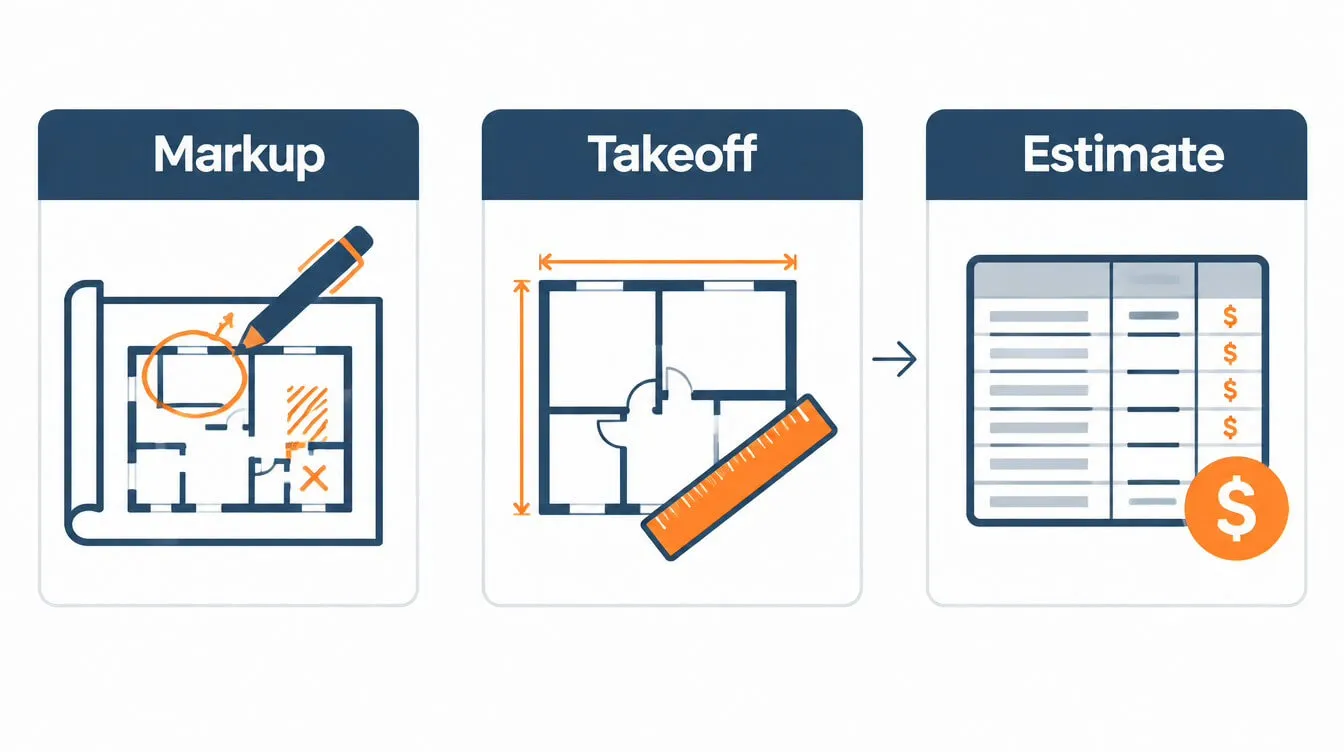
That's a fair use of Bluebeam, but it's not what it's built around. Takeoff is one feature inside a document tool, and the estimate still ends in a spreadsheet you build yourself.
This page sorts the alternatives by the job you actually need done, with prices dated and sourced, and a section on when you should stay with Bluebeam.
What is the best Bluebeam alternative?
The best Bluebeam alternative depends on what you use Bluebeam for. If it's PDF markup and team review, look at markup tools such as Adobe Acrobat or Drawboard. If it's takeoff and estimating, purpose-built tools like Plankore, PlanSwift and STACK measure plans and turn quantities into a priced estimate, which Bluebeam doesn't do on its own.
Why contractors look for a Bluebeam alternative
Four reasons come up again and again. Each one is a real cost, not a gripe about the interface.
The measuring tools you need sit in the higher tiers. As listed on Bluebeam's US pricing page in October 2026, Basics costs $260 per user per year and measures length and area only. Perimeter, count and volume start at Core ($330), and Dynamic Fill, the tool most estimators use to speed up area takeoffs, starts at Complete ($440).
Revu is Windows desktop software. Every plan includes Revu for Windows plus Bluebeam on web and mobile. But if your office runs Macs, the full desktop toolset means a Windows machine or a virtual machine.
The takeoff doesn't become an estimate. You measure in Bluebeam, export the quantities, then price them in Excel. Change one room after an addendum and you're re-exporting and re-pasting on bid day at 3pm.
Cost per seat adds up. Three estimators on Complete run $1,320 a year before anyone opens a plan set.
First, decide what you need it for
Swapping Bluebeam for the wrong kind of tool is how contractors end up paying for two subscriptions. Answer one question first: what do you open Bluebeam to do on a normal Tuesday?
| If you mainly use Bluebeam for | You need | Look at |
|---|---|---|
| Markups, RFIs, redlines, punch lists | A PDF markup tool | Adobe Acrobat, Drawboard |
| Team review sessions on shared drawings | A collaboration tool | Stay with Bluebeam Studio, or a markup tool with shared review |
| Measuring plans and counting items | A takeoff tool | Plankore, PlanSwift, STACK, Togal, Square Takeoff |
| Measuring and pricing jobs | Takeoff plus estimating in one place | Plankore, PlanSwift, STACK, On-Screen Takeoff with Quick Bid |
If you live in markups all day, the rest of this page probably isn't for you. If you open Bluebeam mostly to measure and price, keep reading.
Bluebeam alternatives for takeoff and estimating
These are the takeoff-first tools contractors compare most often. Prices are as published by each vendor on the date shown. They move, so check the vendor page before you buy.
| Tool | Runs on | Estimating built in | Excel export | Entry price | How you start |
|---|---|---|---|---|---|
| Plankore | Any browser: Mac, Windows, Chromebook | Yes, cost, waste and markup on every line | Yes | Pro $49 per user per month, or $499 per user per year billed yearly (Nov 2026) | 7-day Pro trial, no card |
| PlanSwift | Windows desktop | Yes, assemblies | Yes | $2,000 per seat per year in their cart (Jul 2026) | Form, then a sales call and licence key |
| STACK | Browser | Yes, on the Pro plan | STACK for Excel, on Pro | Free plan (1 project a month, 50 measurements). Premium $299 per user per month billed yearly (Oct 2026) | Free account with 7 days of Pro, no card |
| On-Screen Takeoff | Windows desktop | Yes, with Quick Bid | Yes | Not published (Jul 2026) | Demo request |
| Togal.ai | Browser | No, takeoff only | Yes | $299 per user per month billed yearly (Oct 2026) | Demo only |
| Square Takeoff | Browser, Mac and PC | Yes | Yes | $1,699 per year (Jul 2026) | 14-day trial behind a sign-up form |
| Bluebeam, for reference | Windows desktop, plus web and mobile | No, export to Excel | Yes, quantities | $260 to $440 per user per year (Oct 2026) | Free trial, buy online |
Every tool here does something better than the others. PlanSwift has years of trade assemblies behind it, and Togal goes deeper on AI auto-measure for architectural floor plans. Square Takeoff has roofing tools built for hips, valleys and gables.
Where Plankore fits
Plankore is takeoff and estimating in the browser, with nothing to install. You measure area, linear and count on any sheet, price it in an Excel-style grid with waste and markup, and export to your own bid format.
Plankore Pro adds AI Floorplan Takeoff for rooms, walls, windows and doors, AI that names sheets and proposes a scale for every page, and Smart tools including a Joist tool. Every AI quantity shows the sheet it came from, so you check the first pass before it reaches your bid.
On price, Pro costs less than the dedicated takeoff tools. At $499 per user a year, it costs less than PlanSwift (about $2,000 a year), STACK Pro ($349 a month) or Togal ($299 a month), and the estimate is built in, so there's no Excel step between the takeoff and the bid.
Where it's thinner: Plankore isn't an RFI tool, and while Pro lets you build and customize your own templates and assemblies, PlanSwift ships a deeper library of prebuilt trade assemblies out of the box. If you only need markup and team review, Plankore Collaborator is $199 per user per year, below Bluebeam Basics at $260, but it has no takeoff tools.
Bluebeam alternatives for Mac
Revu, the desktop app, runs on Windows. Bluebeam includes web and mobile access with every plan, but the full desktop toolset still needs Windows, which on a Mac usually means a virtual machine.
Browser-based takeoff tools skip that step. Plankore, STACK, Togal and Square Takeoff all run in a browser, so a MacBook works the same as a Windows laptop. PlanSwift and On-Screen Takeoff are Windows desktop software, so they carry the same Mac problem as Revu.
When you should stay with Bluebeam
Switching isn't always the right call. Stay with Bluebeam if any of these describe your shop:
- You run Studio sessions with architects and engineers every week. That shared review is Bluebeam's strongest feature, and most takeoff tools don't try to replace it.
- Your firm is standardized on it. If your GC partners send marked-up sets in Bluebeam, leaving costs you more than the seat price.
- Takeoff is a small slice of your work. If you measure two or three jobs a month and mark up drawings every day, Core at $330 a year is reasonable value.
- You already own custom tool sets. Years of saved tool chest items are hard to rebuild.
Plenty of estimators keep Bluebeam for markup and add a takeoff tool for measuring and pricing. That's not a failure to switch. It's using each tool for what it's built for.
Pick based on the job, not the brand
If Bluebeam is mostly your measuring tape and calculator, you're paying for features you don't use and still pricing in a spreadsheet. Run one live bid through a takeoff-first tool before you commit to anything.
You can start a 7-day Plankore Pro trial in your browser with no card, see what Plankore Pro includes, and compare plans on the pricing page.
If you'd rather not run the takeoff yourself, the framing takeoff service sends back the full list in 48 hours, and your first lumber takeoff is free for plans under 2,000 sq ft.
Frequently Asked Questions
What is the best alternative to Bluebeam?
It depends on the job. For PDF markup and team review, Adobe Acrobat and Drawboard are common alternatives, while for takeoff and estimating, purpose-built tools such as Plankore, PlanSwift and STACK measure plans and turn quantities into a priced estimate. Bluebeam measures well but leaves the estimate to Excel, so estimators often pair it with a takeoff tool.
Can you do a takeoff in Bluebeam?
Yes. Bluebeam Revu measures length and area on every plan, Core adds perimeter, count and volume, and Dynamic Fill, which speeds up area takeoffs, starts at the Complete tier. Quantities export to Excel, where you build the estimate yourself, so Bluebeam handles the measuring but not the pricing.
Does Bluebeam work on a Mac?
Bluebeam Revu, the desktop app, runs on Windows. Every Bluebeam plan includes web and mobile access, but the full desktop toolset needs Windows, so Mac users usually run it in a virtual machine. Browser-based takeoff tools such as Plankore run natively on a Mac with nothing to install.
How much does Bluebeam cost?
As listed on Bluebeam's US pricing page in October 2026, Basics costs $260 per user per year, Core $330 and Complete $440, all billed annually. A fourth tier, Max, is priced separately. Measuring beyond length and area starts at Core, and Dynamic Fill starts at Complete.