
The Project Details
The project's home page — identity, sharing summary, stats, and the three cards for settings, plan files and related documents.
Updated Aug 16, 20261 min read
Project Details is the first tab in a project's section nav. Use it to manage the project itself; measuring happens in Plans & Takeoffs.
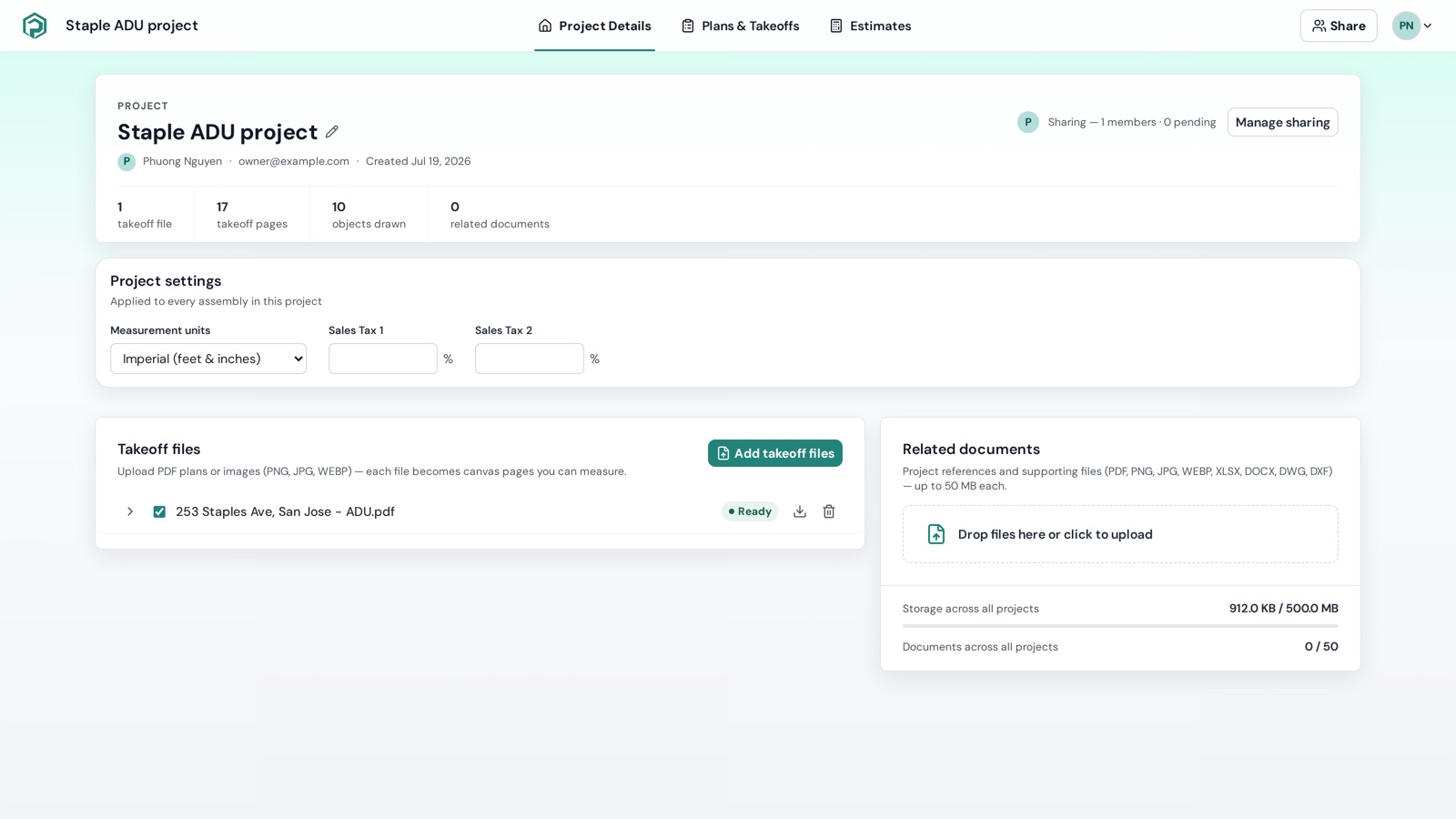
Top: identity and sharing
- Project eyebrow, the project name (click to Rename project), owner name · email · Created {date}.
- Sharing — N members · N pending with member avatars and Manage sharing → the Share dialog. See Share a project.
- A stat strip: takeoff files · takeoff pages · objects drawn · related documents.
The three cards
| Card | What it's for | Article |
|---|---|---|
| Project settings | Measurement units, Sales Tax 1/2 | Project settings |
| Takeoff files | Plan files that become measurable pages — add, retry, download, delete, show/hide pages | Takeoff files |
| Related documents | Specs, schedules, DWG/DXF, spreadsheets for reference and download — types and quotas in Supported files and upload limits | Related documents |
When something's wrong
- "Loading project details…" → "We couldn't load the project details." — reload; if it persists, see Project not found / cannot load.
- A processing banner at the bottom (e.g. Extract 15/16 · 1 failed · Reading 15/15) tracks file processing; failed files show Failed in the Takeoff files card with a retry icon.