The project hub (dashboard)
What's on the dashboard — My projects vs Shared with me, project cards, paging, and the monthly project counter.
Updated Aug 16, 20261 min read
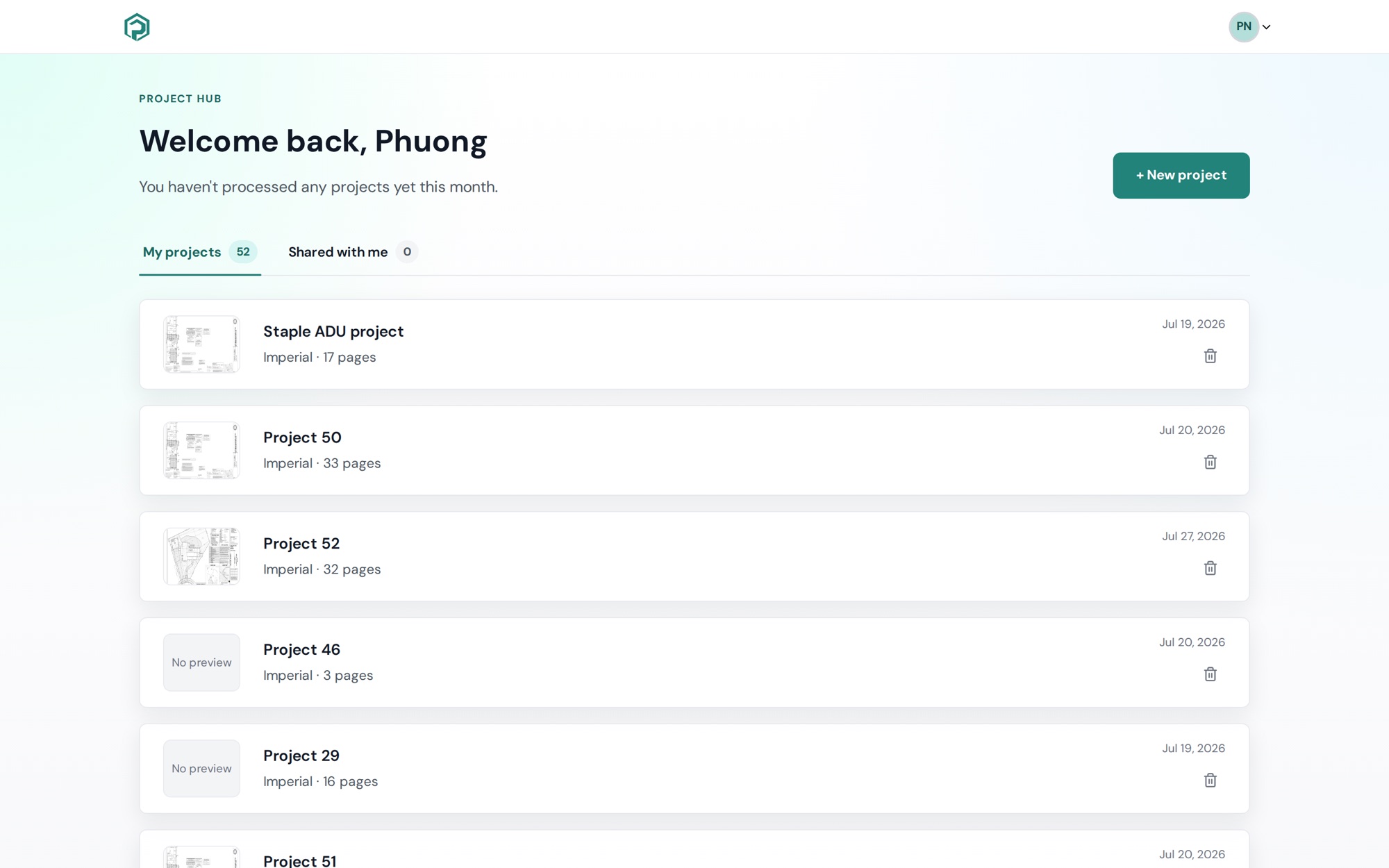
Sign in and you land on the Project hub — "Welcome back, {name}". It's the home for every project you own or were invited to.
Two tabs
- My projects — projects you created. Each card shows the name, Imperial · N pages (or Metric), a created date, and a thumbnail of the first page (or No preview while it renders). Click a card to open it.
- Shared with me — projects others invited you to. Cards are read-only here and show your role badge (Editor / Viewer), Owner: {name} and Invited by {name}. See Sharing & collaboration.
Each tab shows its count. Lists page 10 at a time — Prev / Next and Page X of Y appear when needed. There's no search or sort on the hub yet; naming projects well (site + client + date) is what keeps it navigable.
Your monthly counter
Under the welcome line: "You haven't processed any projects yet this month." or "You've processed N projects this month." On Core that's out of 5 per month; Pro is unlimited — see Plans — Core vs Pro.
What you can do from a card
- Open — click anywhere on the card.
- Rename — pencil icon → type → Save / Cancel.
- Delete — trash icon → Delete project. This can't be undone.
- + New project (top right, or the empty-state button) — see Create your first project.
Empty states
- Create your first project — Upload PDF plans or images — each file becomes pages you can measure.
- No shared projects yet — Projects you are invited to will appear here after you accept an invite.