
Set the page scale
Three ways to set a page's scale — pick or type it from the title block, calibrate from a known dimension, or confirm the AI-detected scale — and how to verify it.
Every measurement depends on the page scale. Until it's set, the status bar shows Scale: Not set and quantities can't be trusted.
Option A — Set the scale from the title block (fastest)
Every page thumbnail carries a Set scale chip (bottom-right, in Page Preview and Page List).
- Click Set scale on the page.
- In Set page scale — "Type in the scale in the provided format or pick from the list below" — either pick a common scale from the list (1/4" = 1'-0", 1/8" = 1'-0", 3/16" = 1'-0", 1" = 20', 1:48, …) or type your own in the same format.
- Click ✓. The chip now shows the scale, and so does the status bar.
Option B — Calibrate from a known dimension (most accurate)
- Open the page and click Calibrate Scale in the toolbar (the compass icon).
- In Calibrate scale, keep Horizontal and Vertical ticked (or untick one to calibrate a single axis) and click Calibrate.
- Click two points a known distance apart — a dimension string, a grid line spacing, or a door you know is 3'-0".
- Type the real distance and confirm.
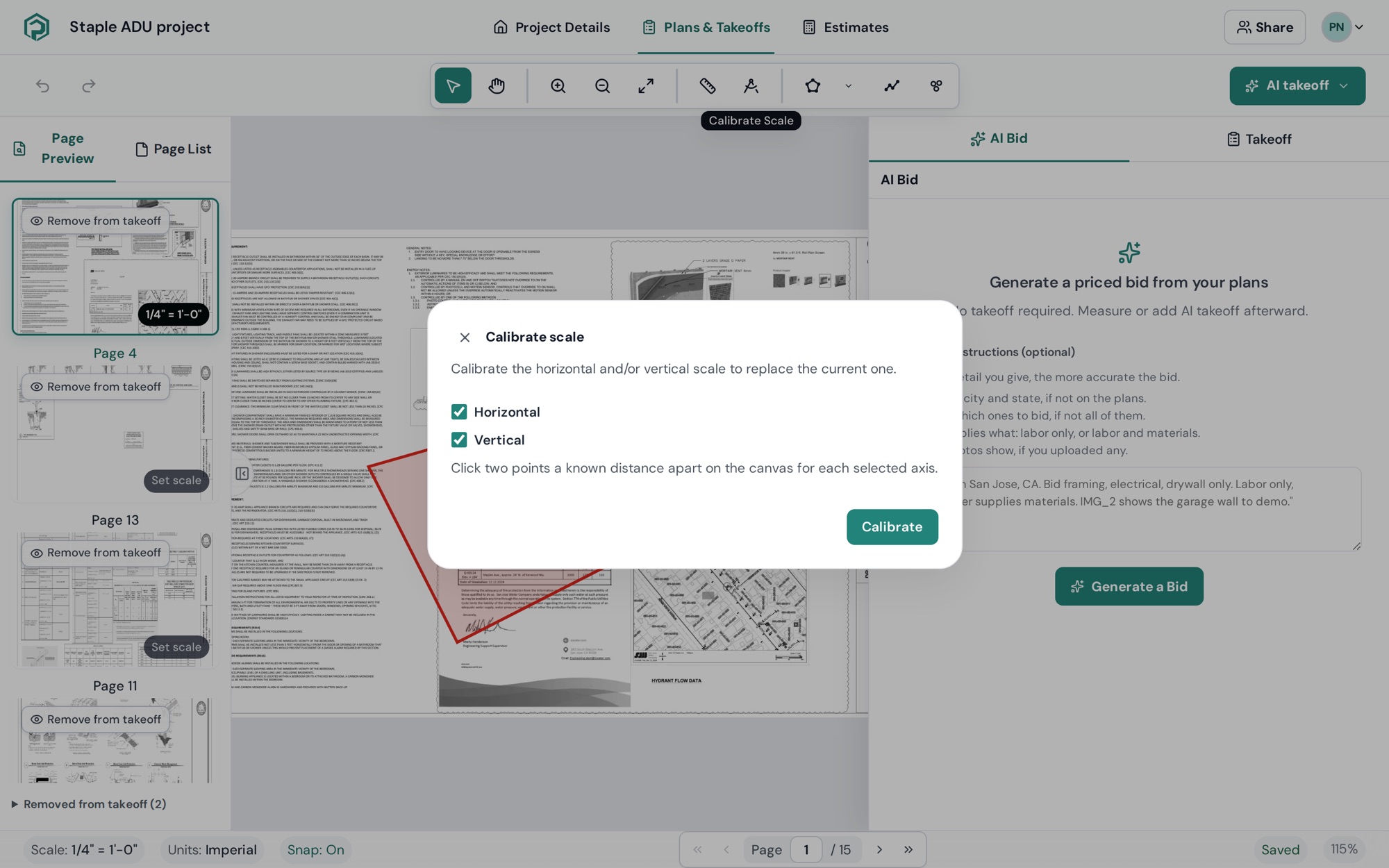
If a sheet is stretched unevenly (common with scans), calibrate the horizontal and vertical axes separately — tick only one axis, calibrate, then repeat for the other.
Option C — Accept the AI-detected scale (Pro)
On Pro, Page name & scale reads the scale from every sheet — see Read sheet names and scale. A thumbnail chip and a tooltip AI-detected scale — click Apply to calibrate appear. Click Apply, tick "I understand and will verify it before taking measurements", and confirm.
Always verify: draw a quick Measure line over a printed dimension and check the number matches.
Check a scale any time
Use Measure (M) to click two points and read the distance in the current scale. Wrong? Recalibrate — existing shapes on the page are recalculated with the new scale.
Per-page scales
Scale is set per page. Set it on each sheet you measure; the Page Preview chip shows Set scale on pages that still need it.