
Manage your account and subscription
Find your profile, reset your password, verify your email, read the Plan & billing card, change your card or cancel, and close your account.
Open the user menu (your avatar, top right) and click Account. The page has three cards: Profile, Plan & billing and Delete account.
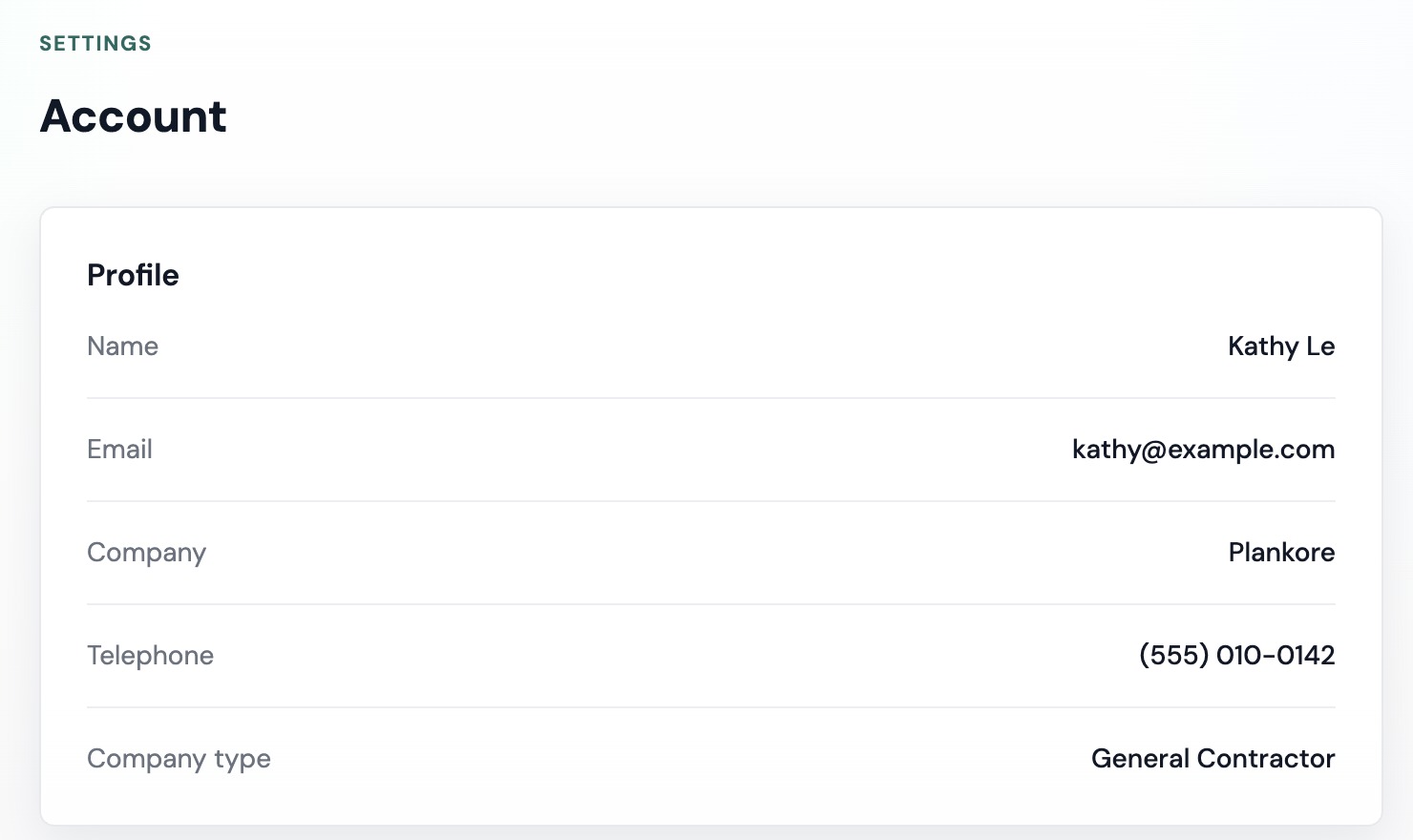
Profile
Profile shows your Name, Email, Company, Telephone and Company type, as entered when you signed up. It is read-only. Your avatar comes from Google when you sign in with Google; email-and-password accounts show your initials.
To change any of these, email hello@plankore.ai from the address on the account.
Reset your password
There is no password field on the Account page. Use the reset flow instead:
- Log out, and on the login page click Forgot password?.
- Enter your email and click Send reset link. The next page, Reset link sent, says If your account exists, we've sent a reset link to your inbox.
- Open the link and choose a new password (Minimum 8 characters, mix case, digits, and symbols for strength), repeat it and click Update password. You are sent back to sign in.
If the email does not arrive, check spam, wait a minute, then click Resend email.
Verify your email
Email-and-password accounts must verify their address first. After signing up you land on Verify your email; open the link in the message. Until you do, the app shows Verify your email to continue with Resend email and I've verified, check again. Chose the wrong address? Click Log out and start over.
If the link says This verification link is invalid or has expired., click Resend email for a fresh one.
Plan & billing
The card changes with your situation. See Plankore plans: Free Forever vs Pro for what each plan includes.
| Row | What it shows |
|---|---|
| Plan | Free Forever, or Plankore Pro · Monthly / Plankore Pro · Annual |
| Status | Active · Free, Free trial, Active, Past due, Canceled or No subscription |
| Free until | Trial accounts only: the day the trial ends |
| Projects this month | N / 3, or N · Unlimited on paid Pro |
| Billing | No payment required on Free Forever |
| Trial ends / Renews on / Access until | The next date that matters. Access until appears once you have cancelled. |
| Next billing | The amount and date of the next charge, or No upcoming charge |
| Card | Brand and last four digits, e.g. Visa •••• 4242 |
Below the rows:
- On Free Forever: Plankore Pro adds AI Takeoff, Smart tools and the sample libraries. and an Upgrade plan button.
- On the trial: No card on file. Upgrade before your trial ends to keep Plankore Pro. and Upgrade.
- On paid Pro: Change card and Cancel subscription.
Change your card
- Click Change card. The dialog Update payment method says Your new card replaces the one on file and is used for future charges.
- Enter Card number, Expiry, CVC and ZIP code, then click Save card.
Cancel or resume
- Click Cancel subscription. The card confirms: You'll keep access until [date], then it won't renew. No charge.
- Click Cancel subscription again to confirm, or Never mind.
You keep Pro until the date shown as Access until, then move to Free Forever. Changed your mind before then? Click Resume subscription.
Delete your account
Account deletion is handled by our team, not self-serve.

- Scroll to Delete account. It reads To delete your account, email hello@plankore.ai.
- Email hello@plankore.ai from the email address on the account and ask us to delete it.
- We confirm with you before anything is removed.
Your profile, your projects (drawings, takeoffs, estimates and documents) and any active subscription are deleted. Projects you were invited to stay with their owner; you are simply removed as a member.
If something goes wrong
- Your subscription is no longer active. Please subscribe again. The card update could not find a live subscription. Click Choose a plan to subscribe again.
- Card updates are temporarily unavailable. Please try again later. Try again in a few minutes; if it persists, email support.
- Status shows Past due. A charge failed. Click Change card and enter a working card.
Still need help?
Email hello@plankore.ai and we'll reply within 48 hours. So we can find your work quickly, include the email you sign in with and the name of the project.