
Set the page scale
Pick or type a page's scale, or calibrate it from a known dimension.
Why scale matters
Every area and length is worked out from the page scale. Until a page has one, the control bar shows Scale: Not set, and Area, Rectangle, Linear and Measure ask you to set a scale before you draw. Count works without one.
Scale is set page by page. Set it on every page you measure.
Let the AI read the scale
The quickest way, with Plankore Pro: run AI navigation and it reads the scale printed on each sheet.
- Click Set scale on the page thumbnail, or Scale: in the control bar.
- In Set page scale, pick the scale listed under AI scales at the top.
The first time you measure on a page with an AI scale, Plankore asks you to confirm you'll double-check it. Click Continue.
Always check an AI scale against a dimension printed on the sheet. Measure a known length and make sure the numbers match. If the sheet has no printed scale, or the AI didn't find one, set it yourself below.
Pick or type the scale
- Click Set scale on the page thumbnail, or click Scale: in the control bar.
- In Set page scale, pick the scale printed on the sheet, like 1/4" = 1'-0". Type in Search scales to find it quickly.
- Not in the list? Click Custom scale, type it the same way, for example 1" = 20', and press Enter.
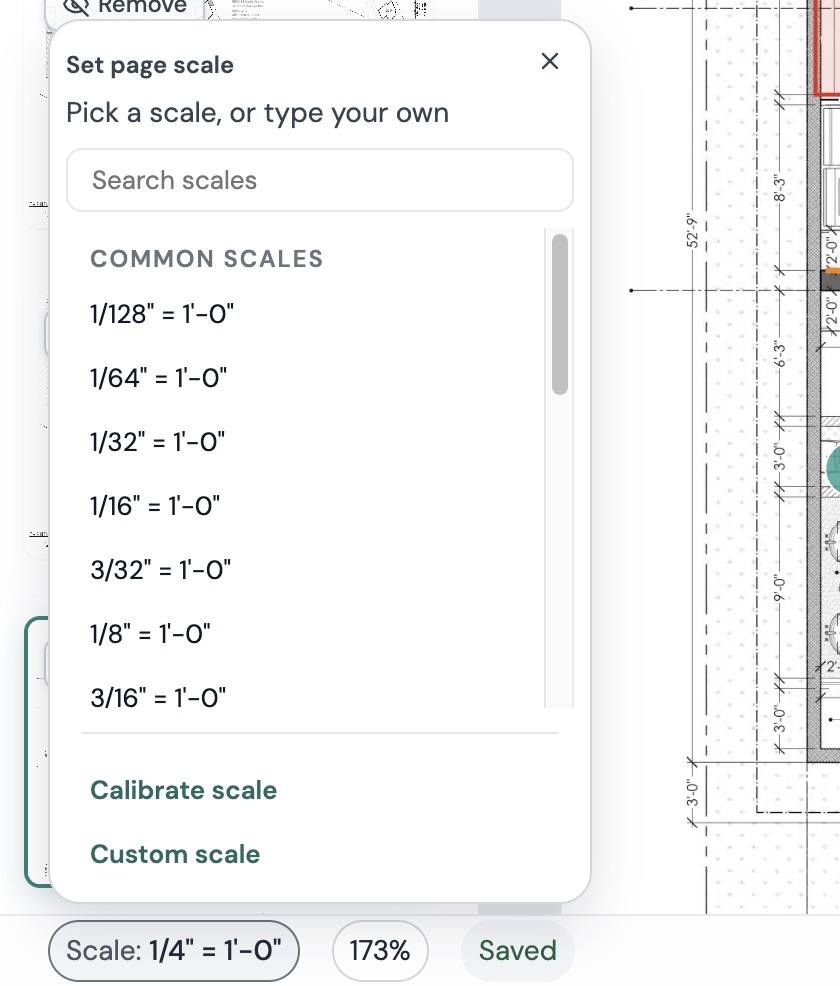
The scale shows on the thumbnail and in the control bar right away.
Calibrate from a known dimension
Calibrate when the printed scale isn't reliable, like a scan or a sheet printed at a different size.
- Click Calibrate Scale in the toolbar, or Calibrate scale in the Set page scale panel.
- Leave Horizontal and Vertical ticked and click Calibrate.
- Click both ends of a dimension you know, like a long dimension string.
- Type the real length in feet, inches and fraction, then click Save.
- Do the same for the vertical direction.
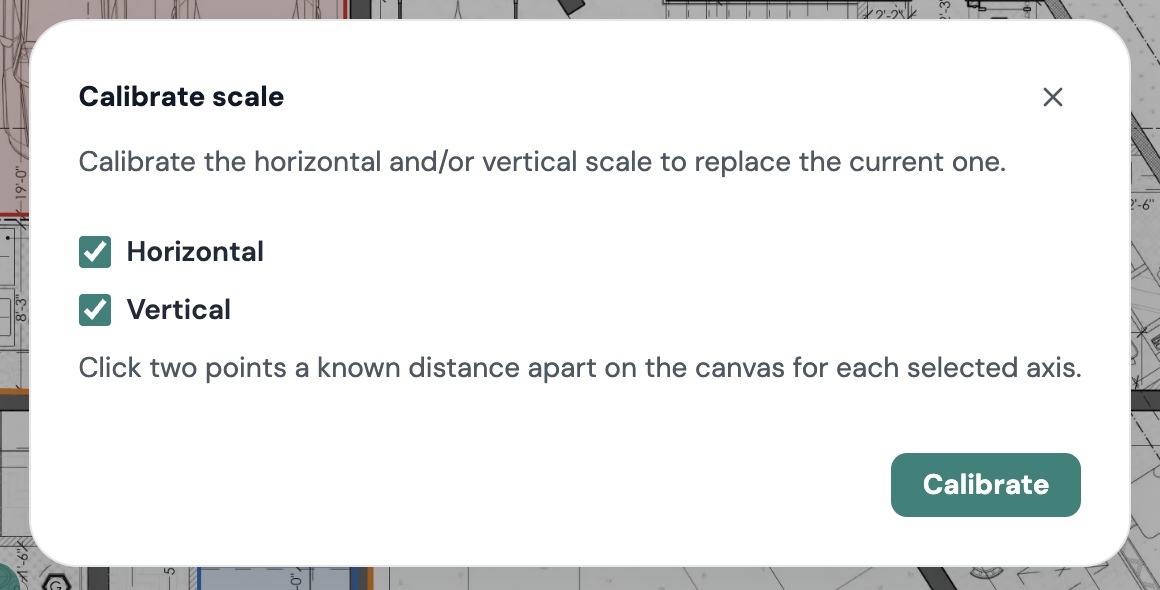
Pick the longest dimension you can find. A 40' dimension gives a much more accurate scale than a 3' door.
Change the scale later
Set or calibrate again at any time. Everything already drawn on that page is recalculated with the new scale.
Still need help?
Email hello@plankore.ai and we'll reply within 48 hours. So we can find your work quickly, include the email you sign in with and the name of the project.