What P-Chat can do
P-Chat is the AI assistant in Plankore. Where to find it, what to ask it, how it works on your screen, what it asks before acting, and what it costs.
P-Chat is an AI assistant built into Plankore. Ask it in plain words: it reads your drawings, answers questions about them, and does takeoff and estimate work in your project while you watch. What it draws lands in your project as ordinary takeoff objects, for you to check, edit or undo like your own.
Open P-Chat
The round button with the AI mark, at the bottom right of every screen, opens the P-Chat window: on Projects, in a project, on your Account page.
- In a project, dock it. Click the dock icon in the window's header (its tooltip reads Dock P-Chat) and it becomes a tab beside Takeoff in the right panel. You can also drag the header to an edge of the screen, or right-click the header and pick Dock to left, Dock to bottom, Dock to right or Undock into a window.
- Close it while it works. The dash at the top right closes the window, and P-Chat goes on working. The round button shows a spinner until it has finished.
What to ask
Write the way you would to a colleague who has the drawings open. For example:
- Find your way around the set. Which page is the foundation plan? What size are the headers over the garage door? What does general note 7 say?
- Set up pages. Name the pages from their title blocks and set each page's scale.
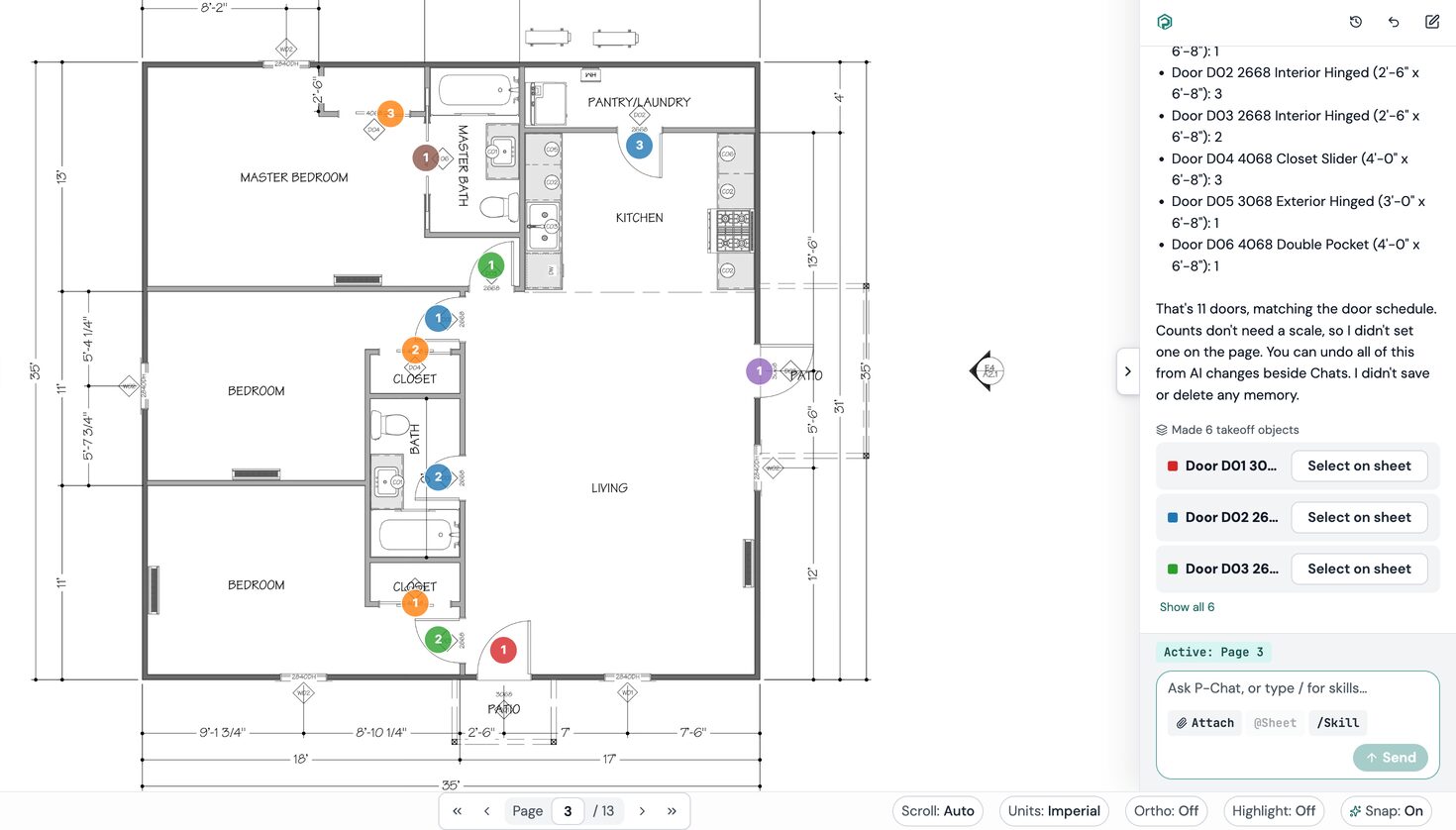
- Count and measure. Count the doors on the floor plan. Measure the exterior walls on A1.2. Draw the roof area on the roof plan.
- Organise takeoff. Put the door counts in a folder called Openings. Rename the walls by type.
- Templates and the estimate. Apply my 2x6 exterior wall template to the exterior walls. Which rows on the Report have no unit price?
- Read a file. Attach a supplier quote or a spec and ask Compare this quote with the Report.
- Start a project. Attach a drawing set as a PDF and ask Make a project from these drawings. It makes a new project, which counts toward your plan's projects like one you make yourself.
For bigger jobs P-Chat has skills, such as a full framing takeoff ready to order. See P-Chat skills: framing takeoff and material order.
How it works on your screen
- It knows what you have open. The line above the message box shows it, for example Active: Page 3, so this page or this sheet means the one in front of you. P-Chat works from any screen: on Projects, ask it to open a project.
- It shows you what it is doing. It opens the pages and tabs it is reading or drawing on, so you can follow along. If you start working in the project yourself, it stops moving your screen and carries on. To end a job early, click Stop; see While P-Chat works.
- What it draws appears as it goes, in the Takeoff tab, like objects you draw yourself.
What it asks before doing
P-Chat makes the changes you ask for straight away, so you see each one happen. Its changes to takeoff objects and markups can be undone in AI changes; page names and scales, templates and the estimate you change back by hand, or ask P-Chat to. It is set up to ask you first before it deletes anything, removes a template from an object, archives a template, shares a file (moving a file into a shared folder shares it), or changes work you didn't ask it to change. When a request could mean two things, it asks one short question. See Check and undo what P-Chat changed.
What it remembers
- Your chats. Each chat keeps its conversation. You can open it again from Chats and carry on for up to 30 days after you last used it.
- How you work. P-Chat keeps notes of what it learns working with you, such as how you name objects or which templates you use, and reads them in your later chats. When you fix something it drew, your next message in that chat tells it what you changed, so it can do it your way next time.
- Whose notes. Your notes are read only in your own chats. Plankore may turn a general lesson from them into guidance for every chat, so P-Chat writes them without project names, addresses, prices, client names or personal details.
What it doesn't do
- It can't reach the Plankore team. For questions about your account, billing or a bug, see Contact Plankore support.
- It doesn't measure attached drawings. P-Chat reads an attached PDF of up to 250 MB, but it draws takeoff only on a project's pages. Ask it to make a new project from the PDF, or upload the drawings yourself. See Supported files and upload limits.
- It can't do takeoff on Collaborator. Collaborator has no takeoff tools, so P-Chat can read the drawings and answer questions, but not draw or change takeoff, templates or page scales for you. See Plankore plans.
- It can misread a drawing. Check its counts and lengths before you price them, the same way you would check a colleague's. Ask it to show you: Which doors did you count?
Still need help?
Email hello@plankore.ai and we'll reply within 48 hours. So we can find your work quickly, include the email you sign in with and the name of the project.