
Plankore plans: Free Forever vs Pro
What Free Forever and Plankore Pro include, how the 10-day Pro trial works, what the plan picker and upgrade prompts look like in the app, and where Enterprise and AI Bid fit.
The plans
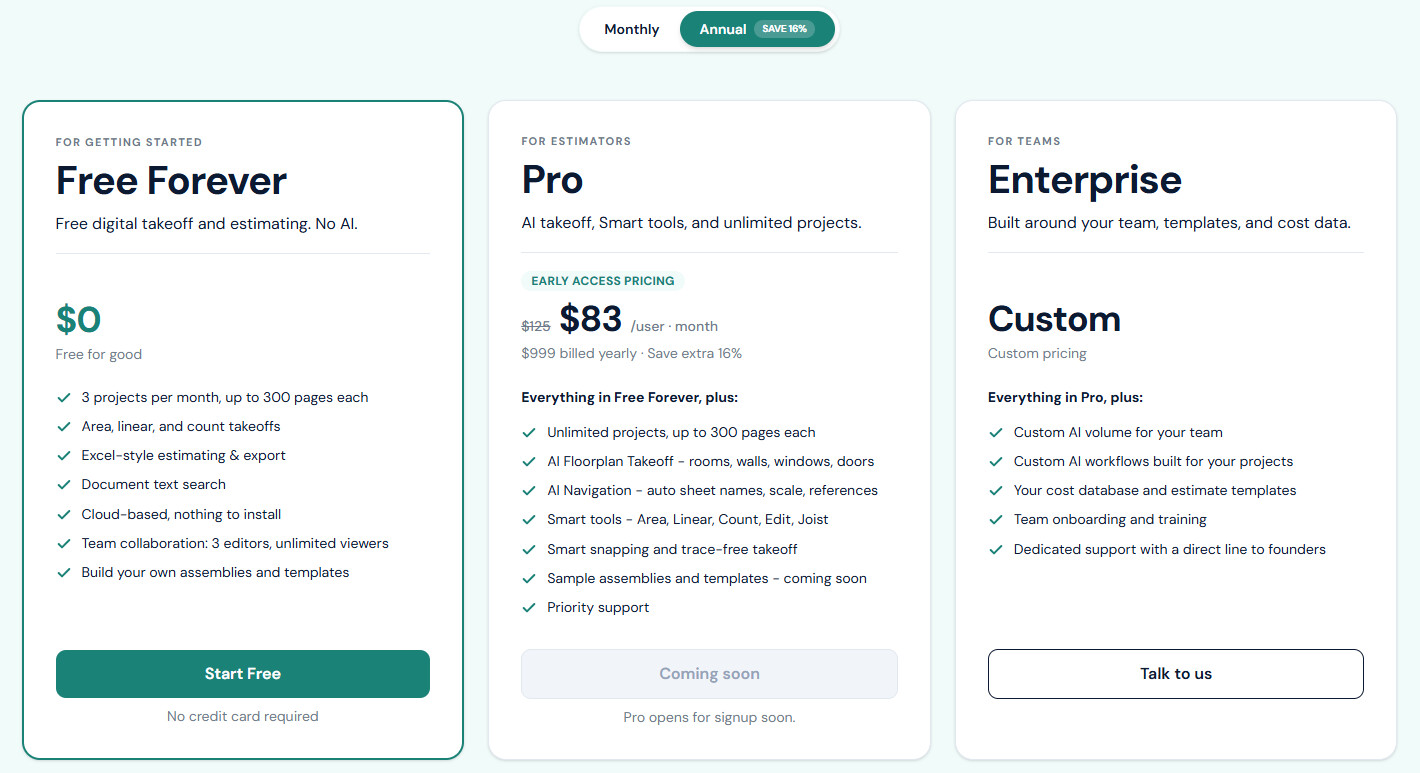
| Free Forever | Plankore Pro | |
|---|---|---|
| Price | $0. Free for good. | $99 per user per month, or $999 per user billed yearly (shows as $83 per user per month, Save extra 16%). Early access pricing; the list price is $149 per month. |
| Who it's for | For getting started | For estimators |
| In one line | Free digital takeoff and estimating. No AI. | AI takeoff, smart tools, and unlimited projects. |
| Projects | 3 per month, up to 300 pages each | Unlimited, up to 300 pages each |
| Takeoff objects: area, linear and count | ✓ | ✓ |
| Excel-style estimating and export | ✓ | ✓ |
| Document text search | ✓ | ✓ |
| Your own assemblies and templates | ✓ | ✓ |
| Team collaboration | 3 editors, unlimited viewers | 3 editors, unlimited viewers |
| AI Floorplan Takeoff (rooms, walls, windows, doors) | , | ✓ |
| AI Navigation (sheet names, scale, references) | , | ✓ |
| Smart tools (Area, Linear, Count, Edit, Joist), snapping | , | ✓ |
| Sample assemblies and templates | , | Coming soon |
| Priority support | , | ✓ |
Enterprise is for teams: custom AI volume and workflows, your own cost database and templates, onboarding and training, and dedicated support. Its price line is Custom. Book a call from the pricing page at plankore.ai.
AI Bid is a separate product, not part of any plan. It drafts a priced first bid for residential projects under 150 pages and is coming soon. In the app it shows as AI Bid early access: AI Bid isn't part of any plan yet. Email hello@plankore.ai to join early access. You can also join the waitlist. See AI Bid.
The 10-day Pro trial
Every new account starts with 10 days of Plankore Pro. No card, nothing to pick. The header shows a chip, Pro trial · N days left, which turns orange for the last three days. The first time you open a project, a banner says Your first N days include Pro's AI Tools. After that, you continue on Free Forever plan. with a See plans button.
When the trial ends you land on Free Forever and see Your Plankore Pro trial has ended: You're on Free Forever now. Choose Upgrade to Pro or Continue on Free Forever. Nothing you made is removed; the AI and Smart tools just switch off.
Upgrade from inside the app
Click the header chip (Pro trial · N days left, or Upgrade to Pro once you are on Free Forever), or open Account and click Upgrade on the Plan & billing card. The Choose your plan picker opens.
- Pick Monthly or Annual (SAVE 16%) at the top.
- On the Pro card, click Upgrade. If you are not on a trial, the button reads Start 10-Day Free Trial.
- Enter your card. During the trial the heading is Keep Plankore Pro after your trial and the note says No charge until [date]. Cancel anytime. Click Save card & keep your plan. Outside a trial it is Save card & start free trial or Save card & subscribe.
What you see when something needs Pro
- A greyed-out Smart tool or the Snap pill shows Available on Plankore Pro on hover. Clicking it opens a dialog with the same title: This feature is not part of your current plan. Upgrade plan opens the picker.
- Creating a fourth project in a month: Monthly project limit reached. Upgrade to Plankore Pro for unlimited projects. with an Upgrade plan button. If you already added a card during the trial it reads Monthly project limit reached. Unlimited projects start when your trial ends on [date].
See your plan and usage
The Plan & billing card on your Account page shows your Plan, Status (Free trial, Active · Free, Active, Past due or Canceled), Projects this month (N / 3, or N · Unlimited on paid Pro) and, once you have a card, the next charge and renewal date. See Manage your account and subscription.
Still need help?
Email hello@plankore.ai and we'll reply within 48 hours. So we can find your work quickly, include the email you sign in with and the name of the project.